
Tournament software for organisers
Darts tournament software: from registration to the final
Registration, draw, group stage, knockout bracket, FA Cup, double elimination, board scorer, projector view and live page. Free, on the web and in the app.
DartCloud runs your whole tournament: online registration, add participants with one click, draw, connect boards by code, score at the board and show the schedule, tables and knockout bracket live on the projector, on phones and on the live page. Professional, reliable in action and developed further every week.
Create a tournament free View live tournaments
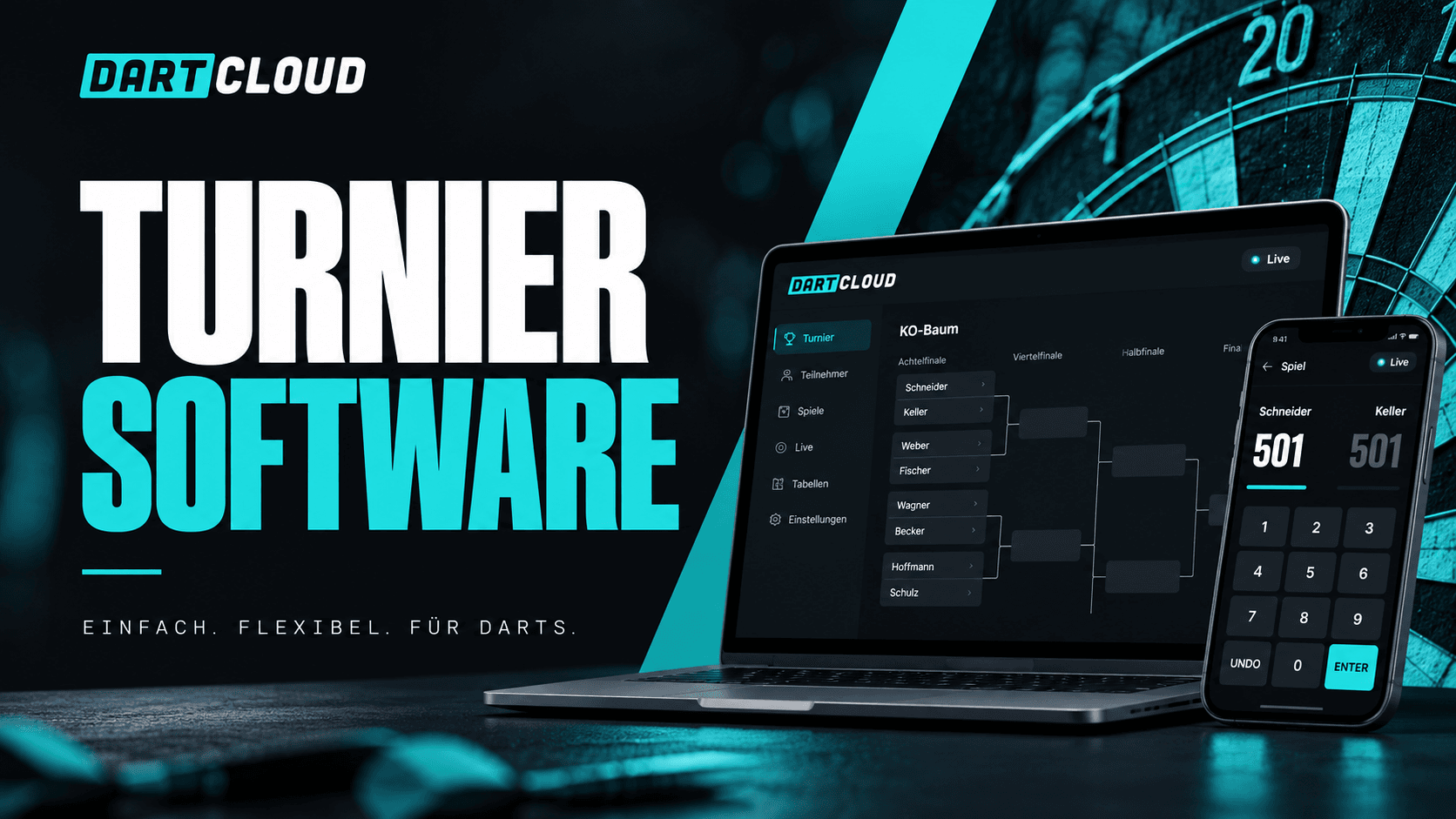
DartCloud's tournament software is built for the real match day: for the club night with eight players just as much as for the open tournament with over a hundred participants, several group stages and ten boards. Everything runs in one system, in the browser and in the app. Organisers need no extra software, no spreadsheet and no licence.
This page explains every function with real screenshots from a tournament played all the way through. If you want to start right away, create a tournament and follow the setup guide. If you want to go deeper, you'll find a detailed article on every step in the help centre.
Everything a tournament day needs
Online registration
Participant limit, waiting list, custom form fields, confirm and decline, entry fee with payment details, email templates with placeholders. Doubles and teams register via an invitation link.
All formats
Straight knockout, group stage plus knockout, several group stages, FA Cup mode, double and triple elimination with a losers' round, Champions League mode with playoffs, lucky loser side tournament.
Draw at the push of a button
Groups and the knockout bracket are built from the number of entrants, with fair byes and a preview of the groups before the start. Scorers are assigned automatically from the current phase.
Boards by code
Every board logs in with a six-digit code, no account needed. Free boards get waiting matches automatically, and fixed boards per phase are possible.
Board scorer
Visit by visit or dart by dart, checkout suggestions, bust detection, undo, change who throws first. In the app it also works offline, entries are synced later.
Player call-up
Players with a DartCloud account get a push notification as soon as their match is up, including board and opponent. No one has to be shouted for across the hall any more.
Projector view and board monitor
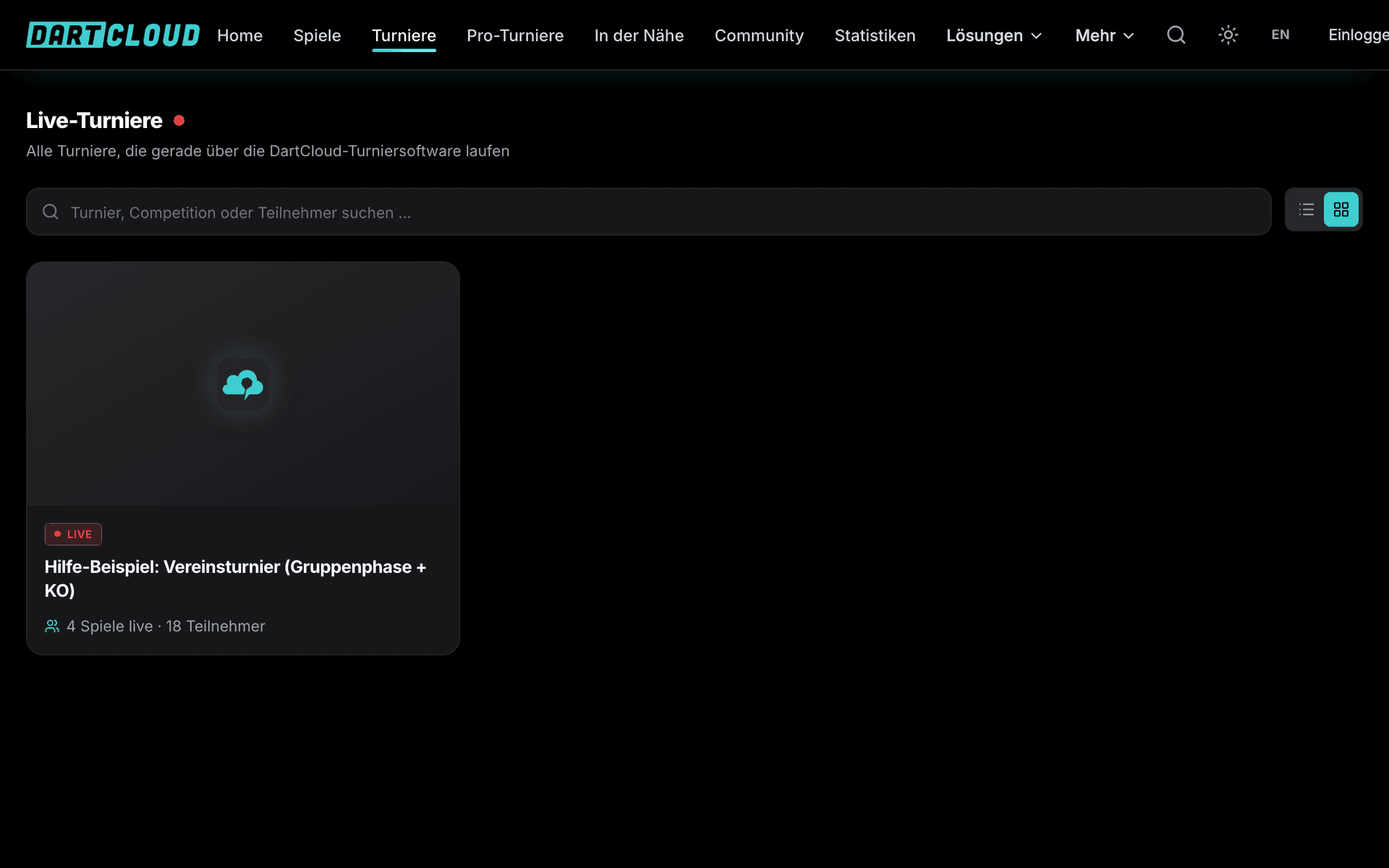
Current and upcoming matches, groups, knockout bracket, highlights and stats for the hall. One spectator monitor per board without any input, also as a second screen on a tablet.
Live page for everyone
Every tournament has a live page with the schedule, tables, knockout bracket, individual matches live, highlights and stats. For spectators at home and players in the hall.
Tournament directors stay in control
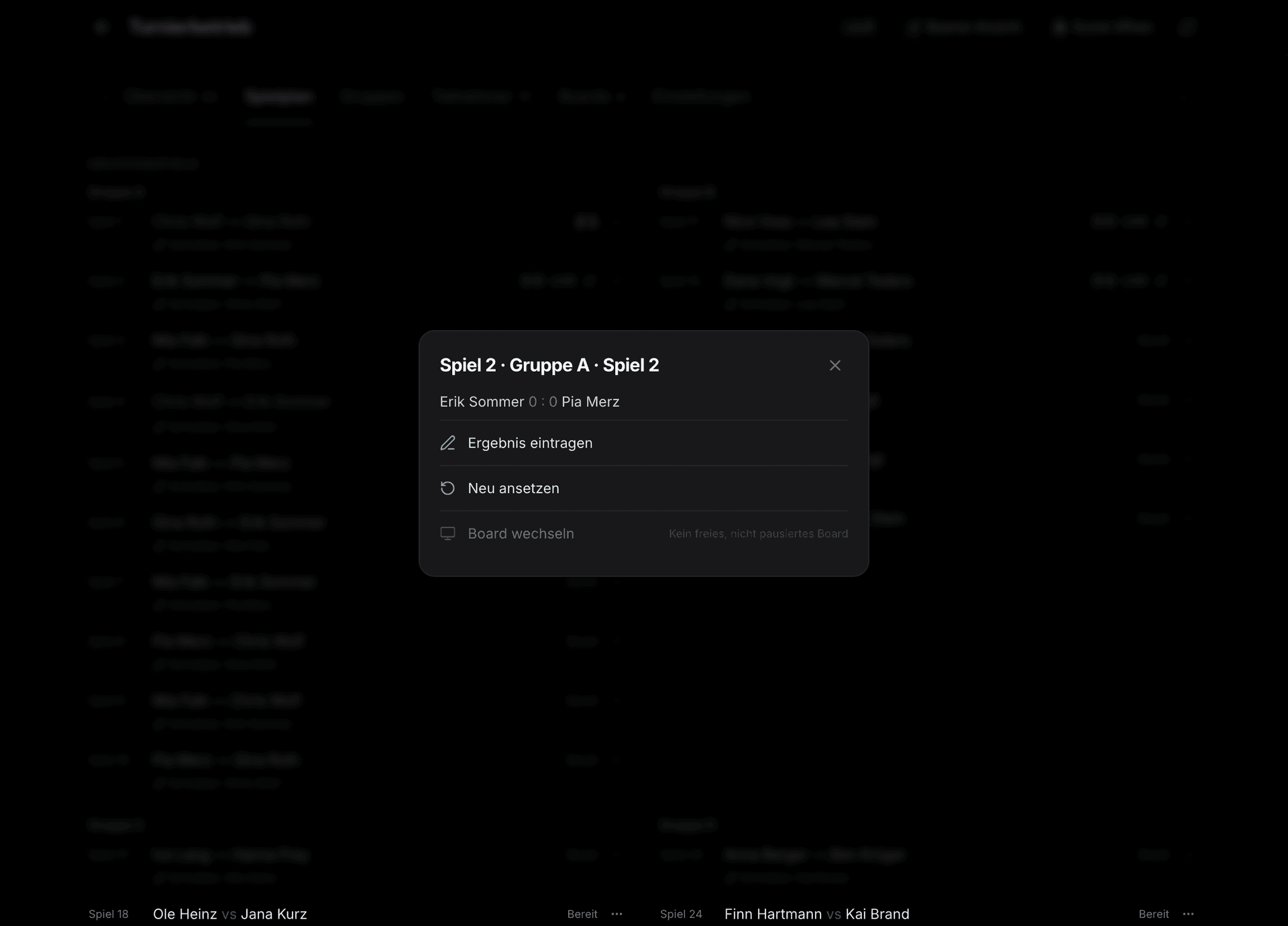
Result approval, rescheduling matches, switching boards, bringing matches forward, removing and adding players later, permissions per admin area. Critical actions only with confirmation.
Stats in the profiles
Average, 180s, high finishes and checkout rate land in the player profiles automatically. The tournament page shows the winner and the final standings permanently.
Templates and series
Save tournaments as a template and recreate them with one click, multiple dates as a series, singles and doubles as competitions on the same day.
Online tournaments
Play tournaments fully online: chat for each pairing, dates and deadlines, call the tournament management, spectate, play results without time pressure.
Before the tournament: setup and registration
A tournament is set up in just a few minutes: name, date, venue, category and game mode. The setup guide walks you step by step through every area, from the poster to the registration. Every tournament automatically gets its own tournament page on the web and in the app, where players can find information and register.
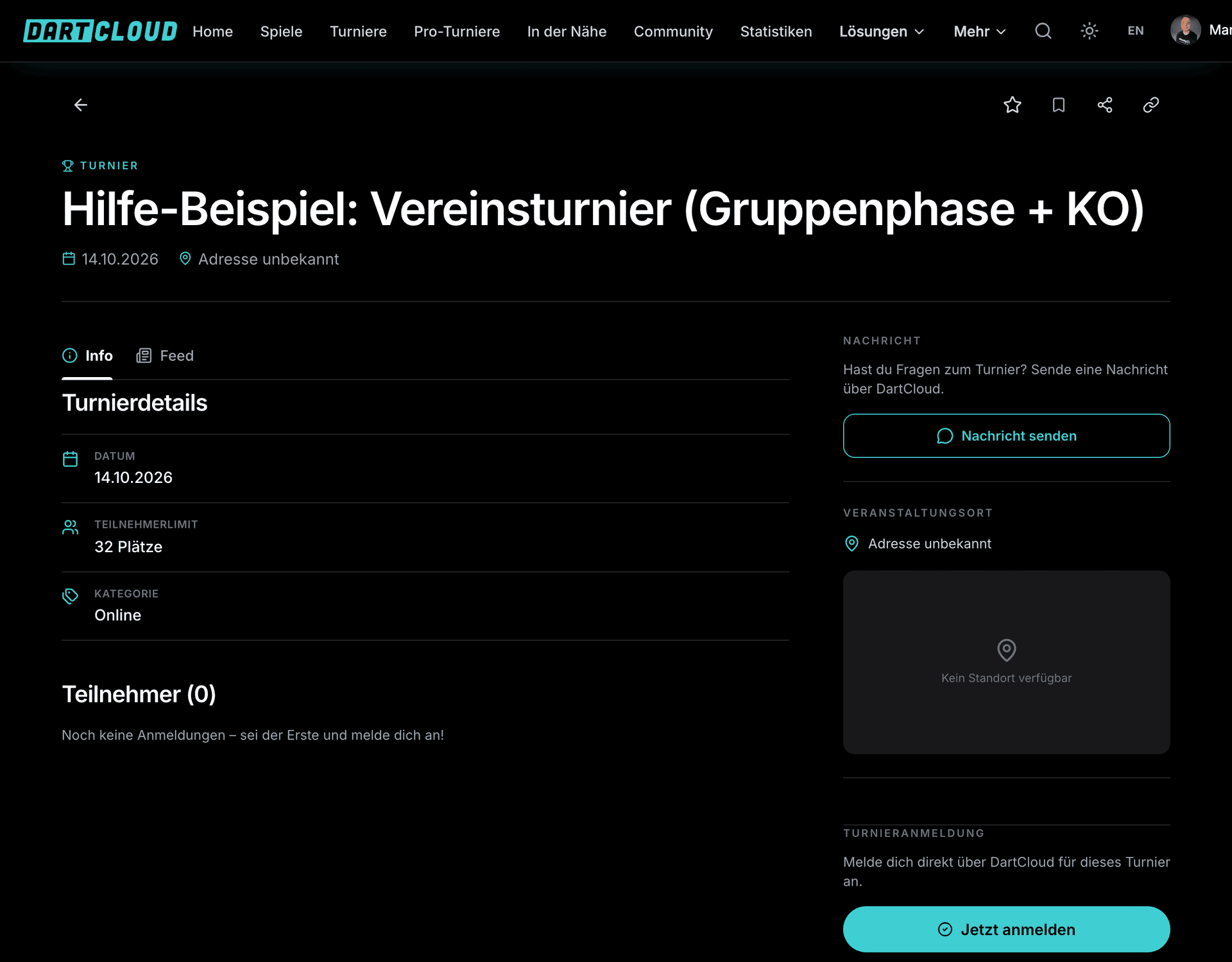
Online registration in four steps
Set up registration
Set a participant limit, waiting list, registration deadline and your own fields, such as club or T-shirt size. Entry fee and payment details are shown on the tournament page.
Players register
Two clicks with a DartCloud account, doubles and teams via an invitation link to your partner. Every registration appears in the admin area right away.
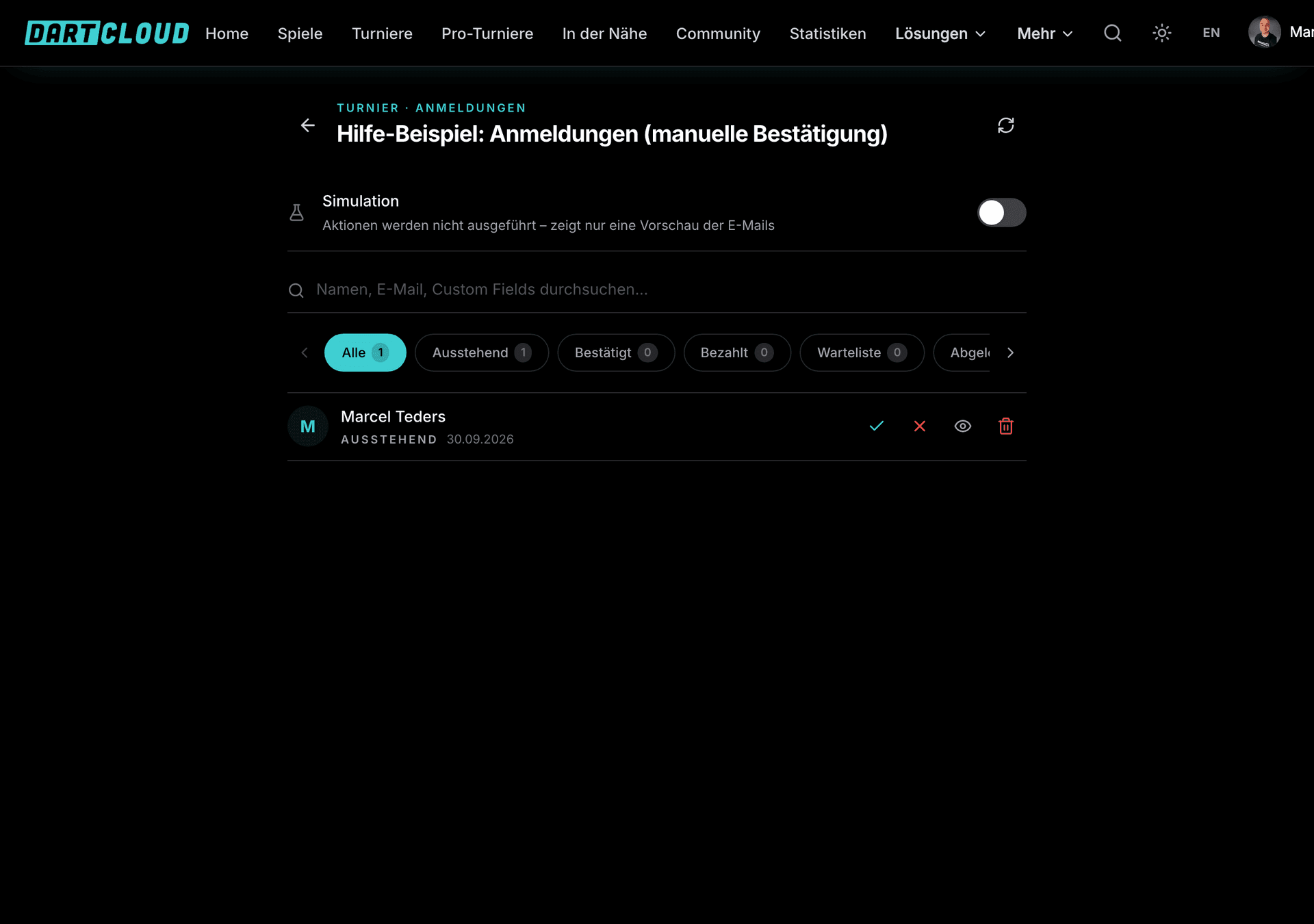
Manage registrations
Confirm, decline, move to the waiting list, mark as paid. Multi-select for handling many registrations at once.
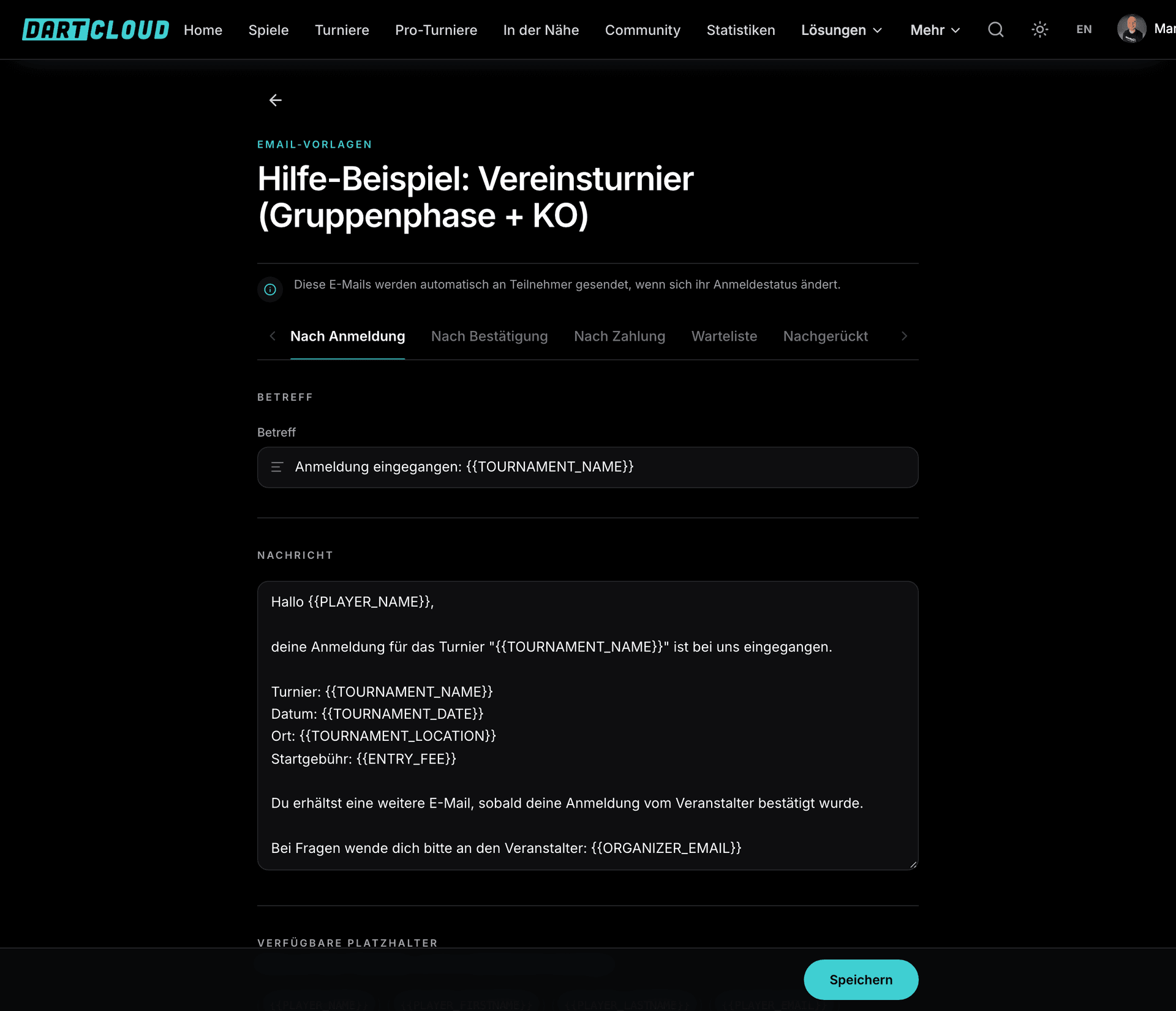
Emails from templates
Confirmation, rejection and reminder from email templates with placeholders like name, tournament and date. Set up once, reusable for every tournament.

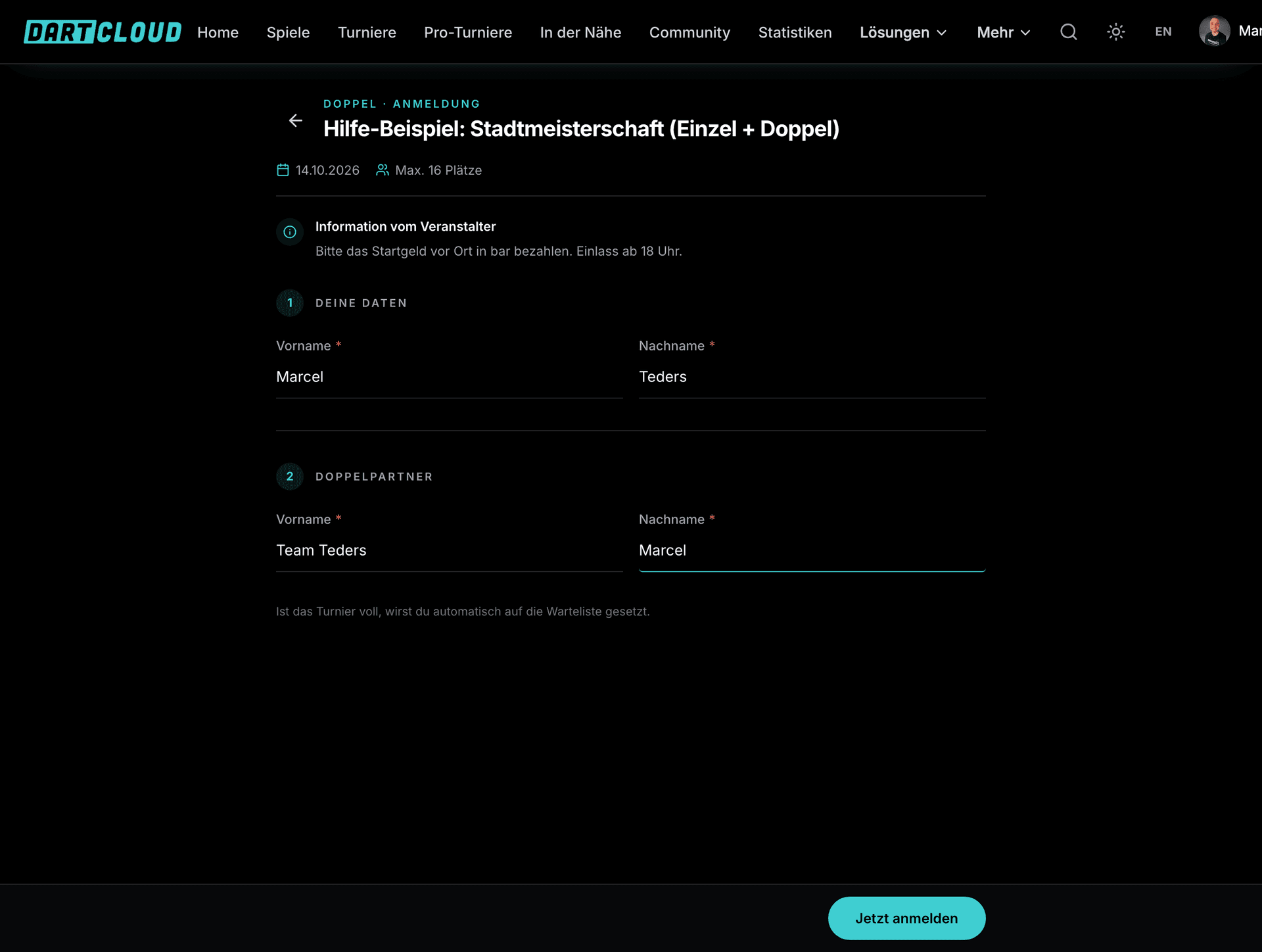
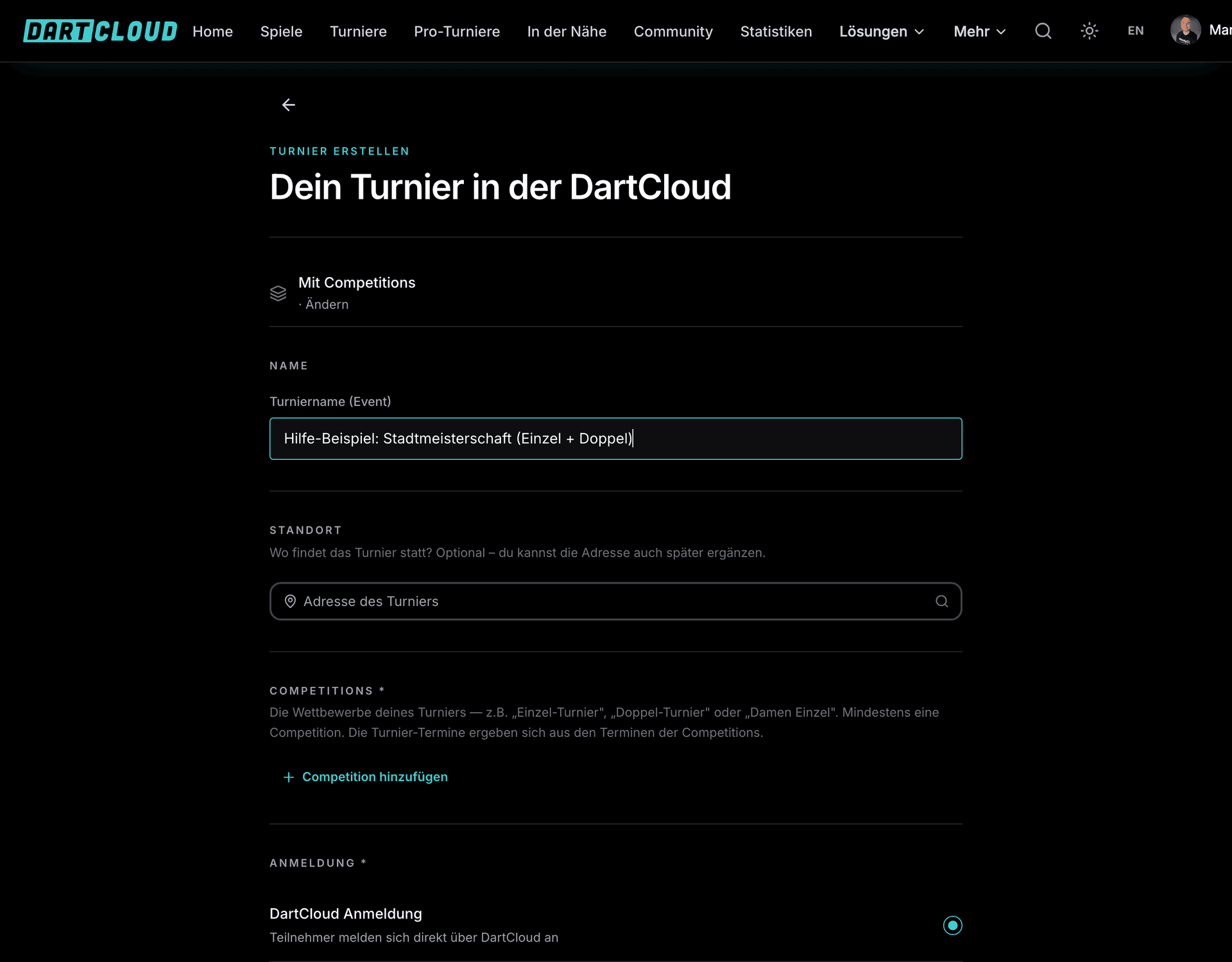
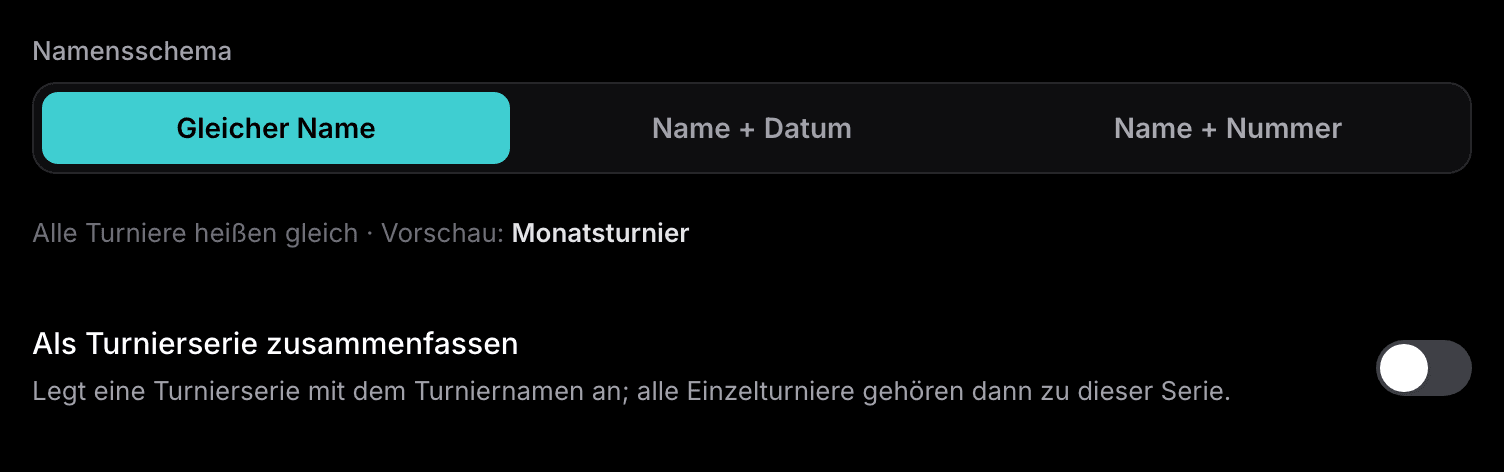
For tournament days with singles and doubles there are Competitions: several contests under one tournament, each with its own registration and its own tournament operation. Tournament series create many dates at once. Save a tournament as a template and you set up the next one with all its settings in a single click.
Tournament formats
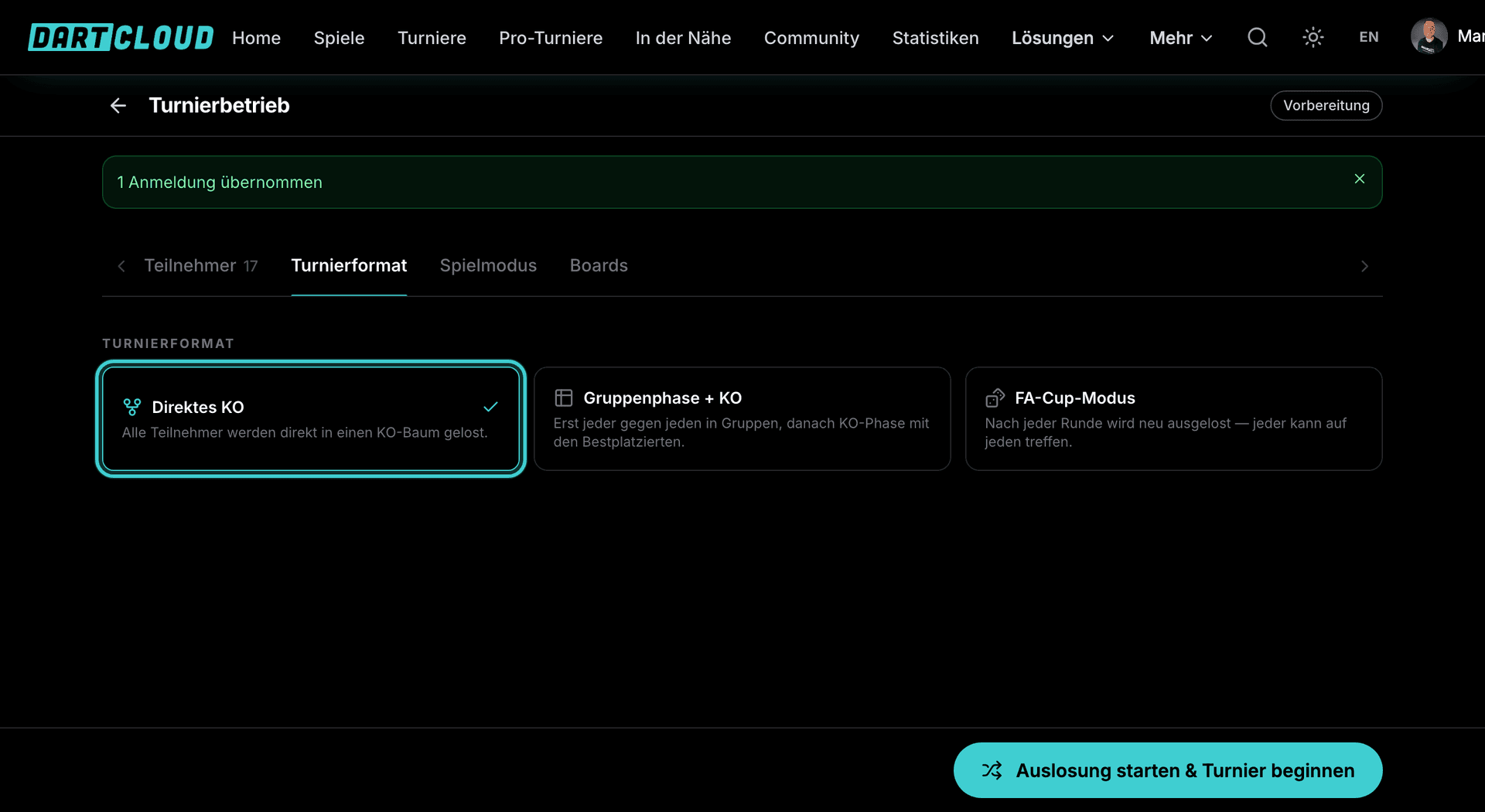
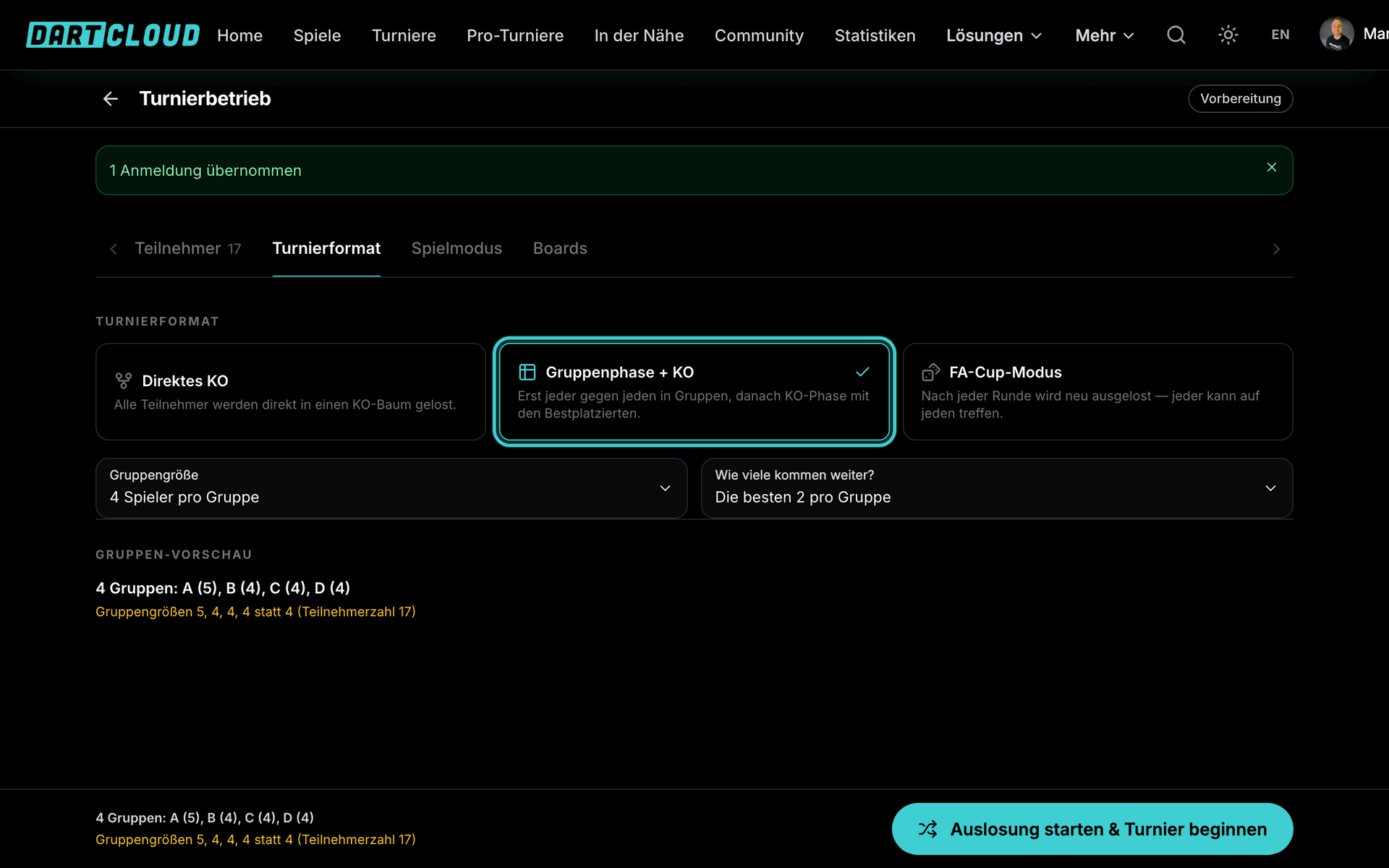
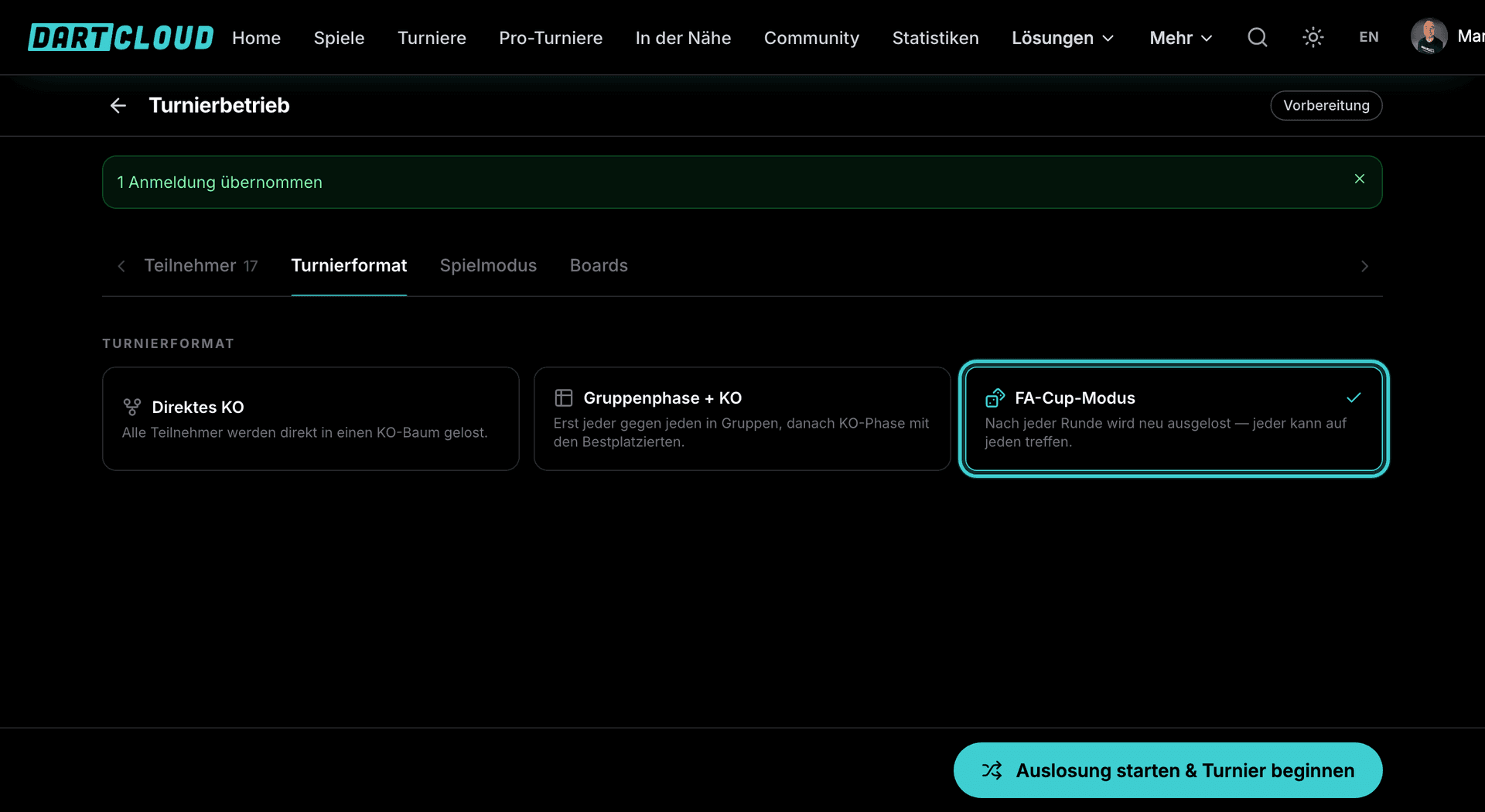
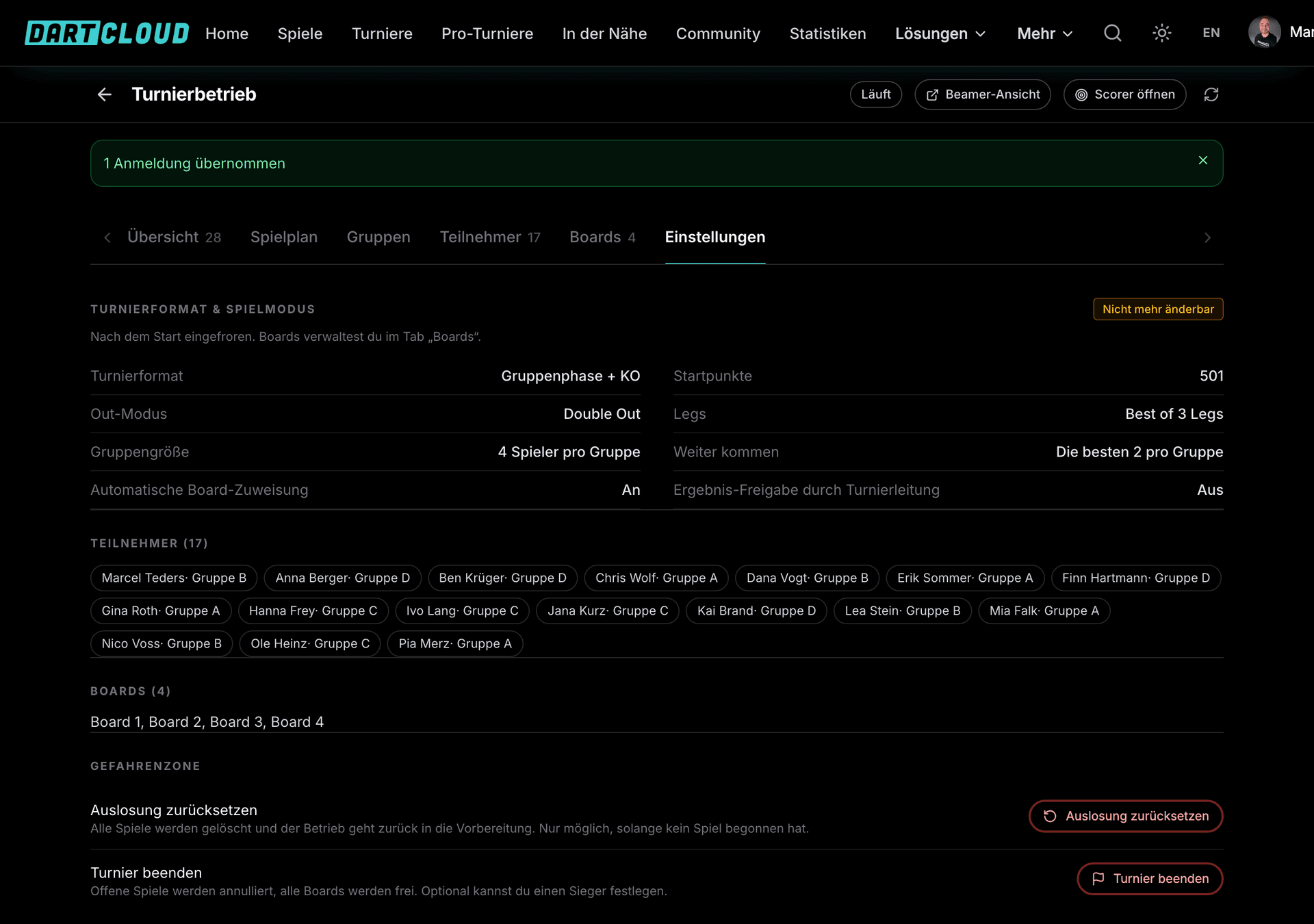
In the "Tournament format" tab you set out how play works. The choice can be changed up until the draw. Group size, number of qualifiers and knockout field size are adjustable, and the preview shows the group allocation before the start.
| Format | How it works | Good for |
|---|---|---|
| Straight knockout | All participants are drawn into a knockout bracket. Byes are distributed fairly, and whoever loses is out. | Club nights, quick tournaments |
| Group stage plus knockout | Groups with a table ranking, the best from each group move up into the knockout bracket. Several group stages in a row are possible too. | Open tournaments, many participants |
| FA Cup mode | Every round is drawn afresh, with byes in each round. Exciting right to the end. | Pub tournaments, odd numbers of participants |
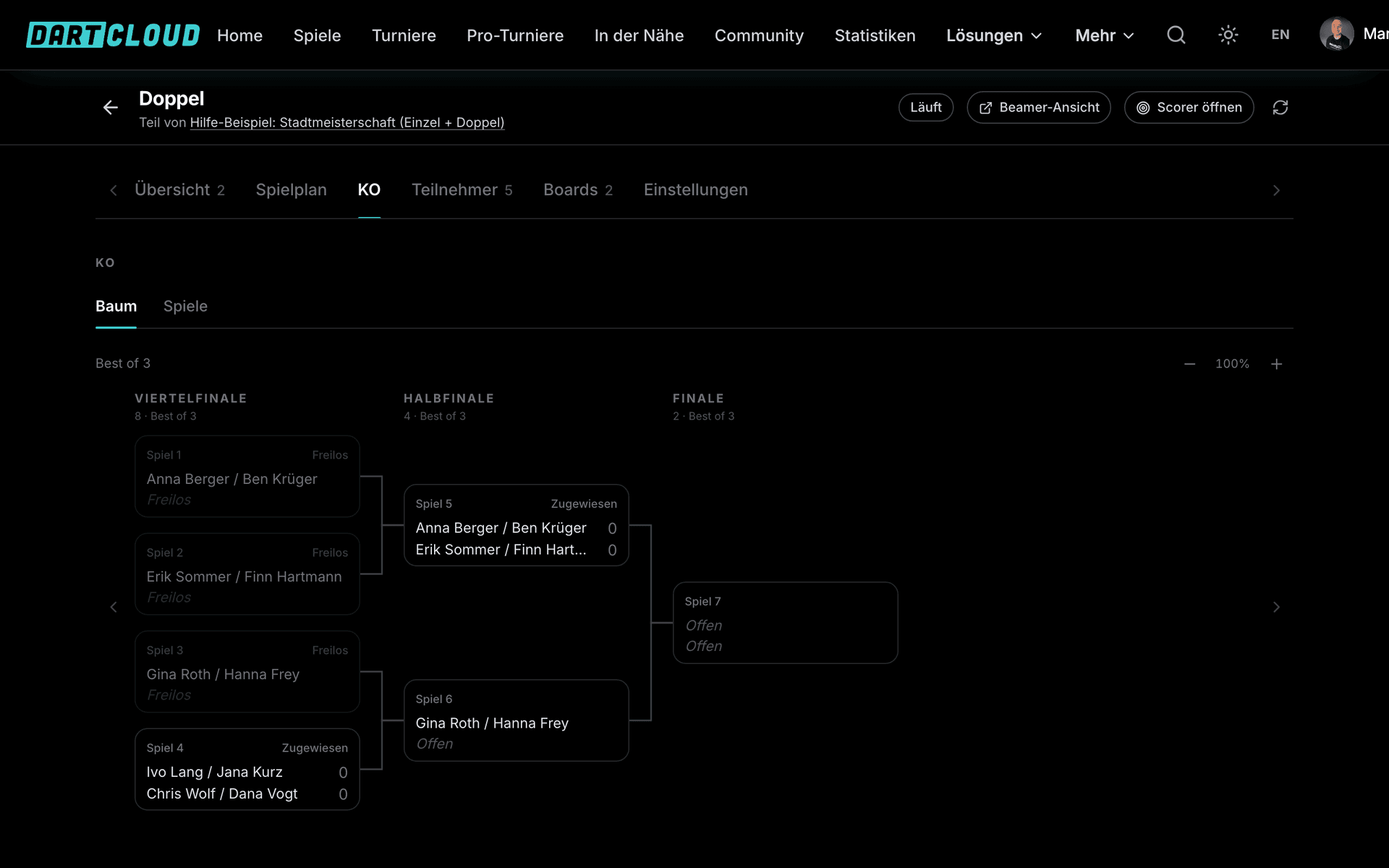
| Double and triple elimination | A losers' bracket with a second or third chance, and at the end the big final between the winners' and losers' side. | Tournaments where one defeat doesn't mean you're out |
| Champions League mode | One big table, everyone plays everyone or a set number of matches, followed by playoffs and knockout. | League evenings, season tournaments |
| Lucky Loser | Eliminated players play their own side tournament on separate boards, with its own format for each round. | All formats, so nobody heads home early |
Game format and rules
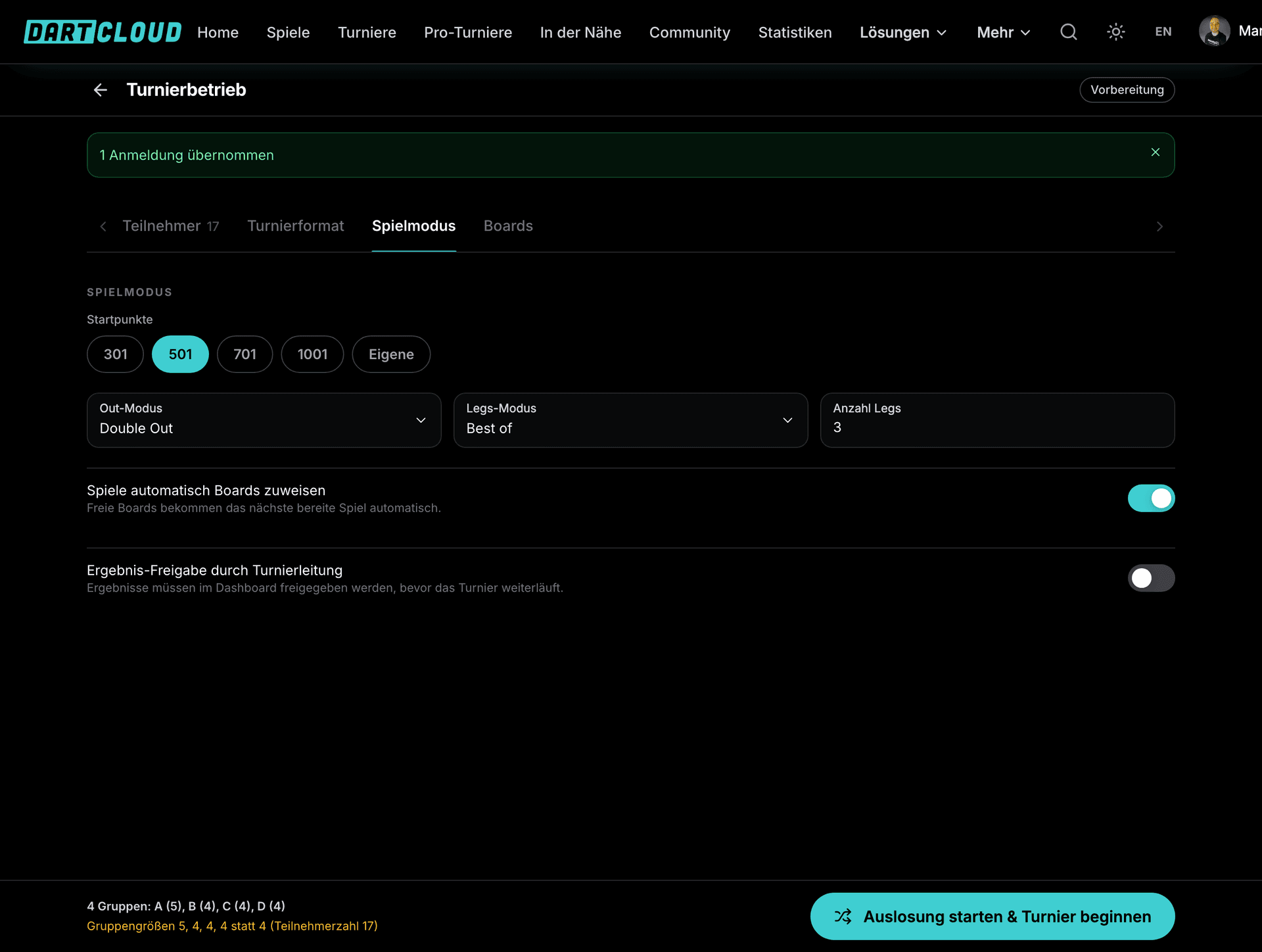
Starting scores such as 301 or 501, Double-Out or Straight-Out, Legs as Best of or First to. The format can be set differently for each round, for example Best of 3 in the groups, Best of 5 in the semi-finals and Best of 7 in the final. Auto-assignment sends waiting matches to free boards automatically. With result approval, the tournament management checks every result before it is entered into the bracket.
On match day: the tournament management
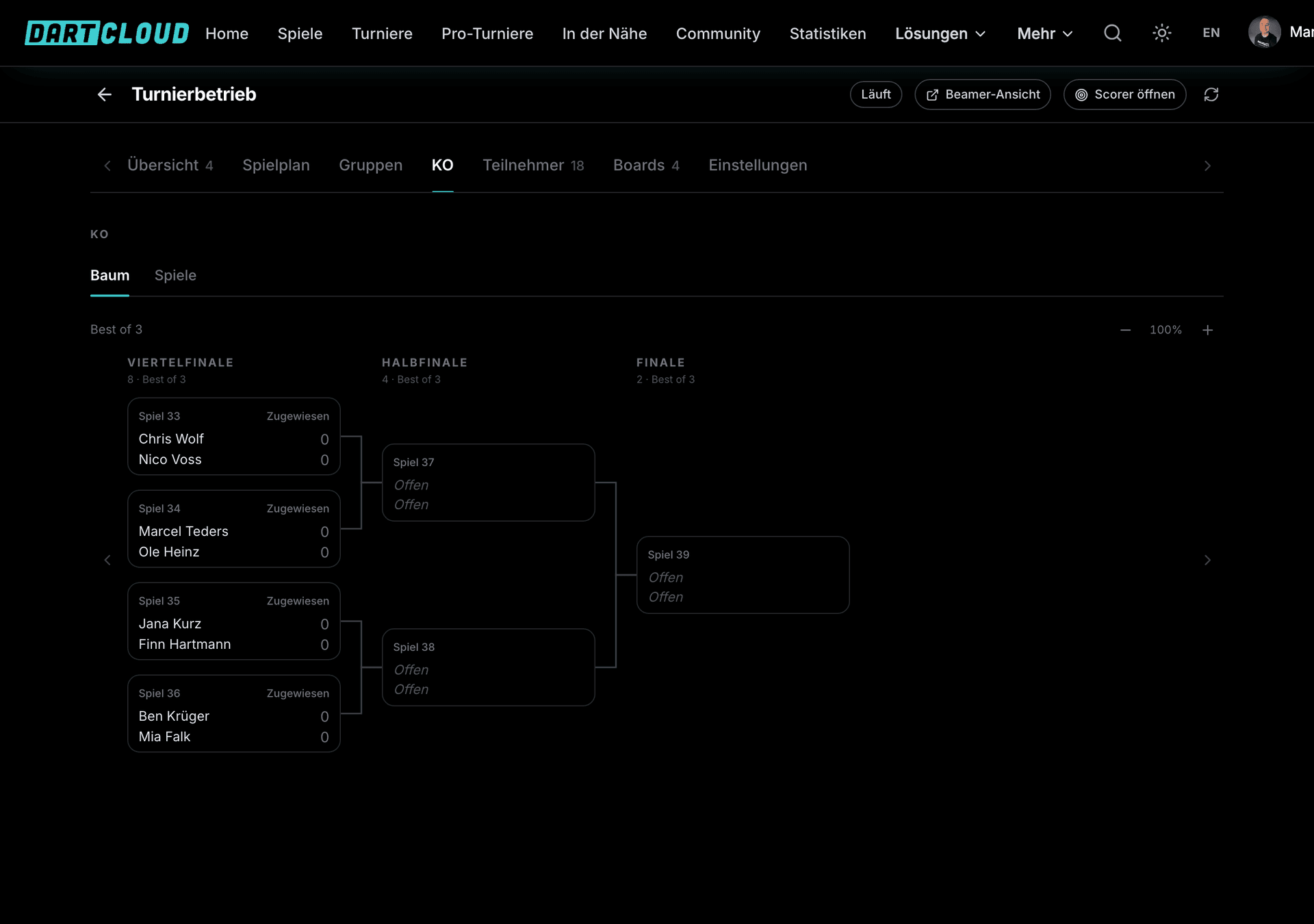
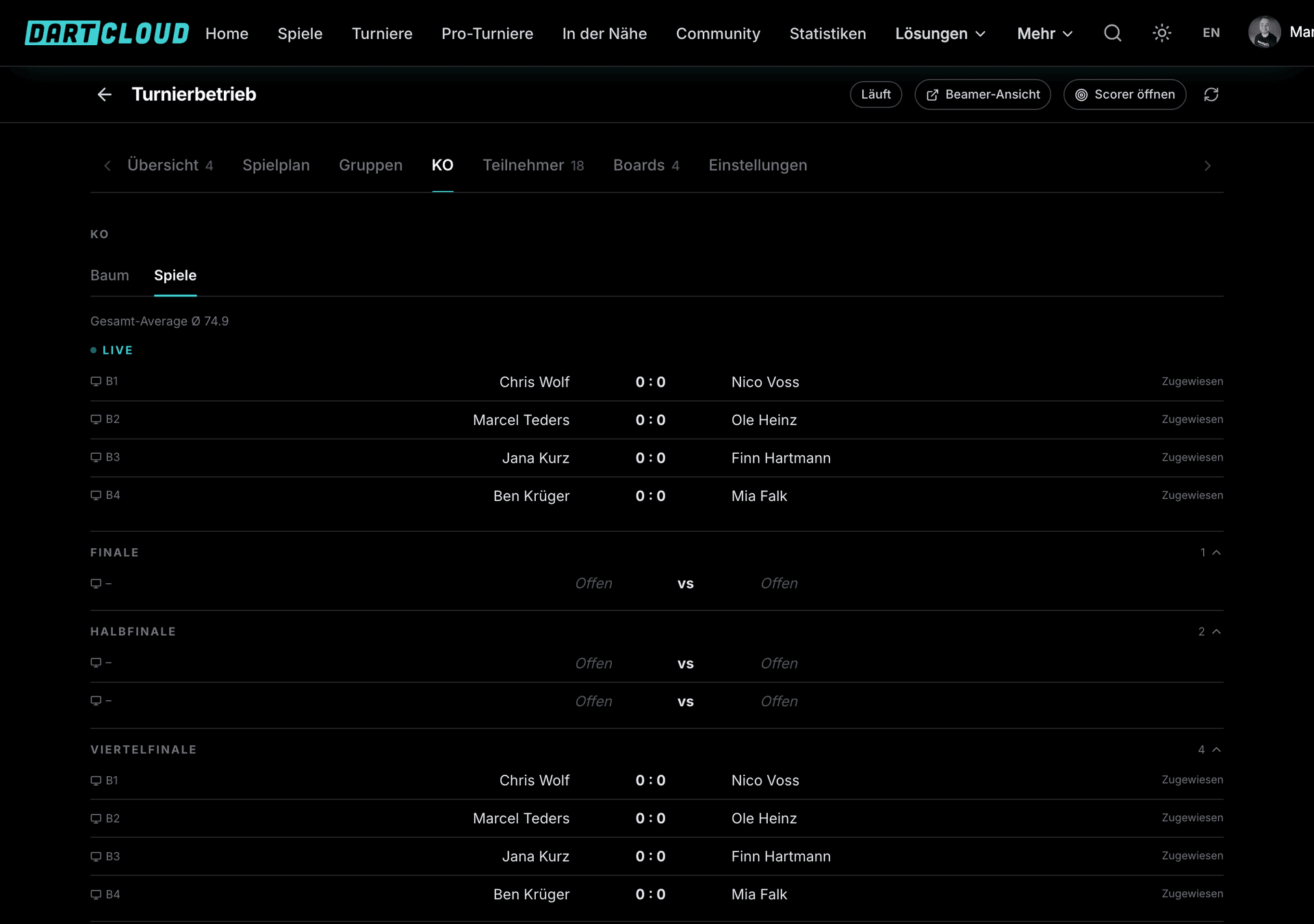
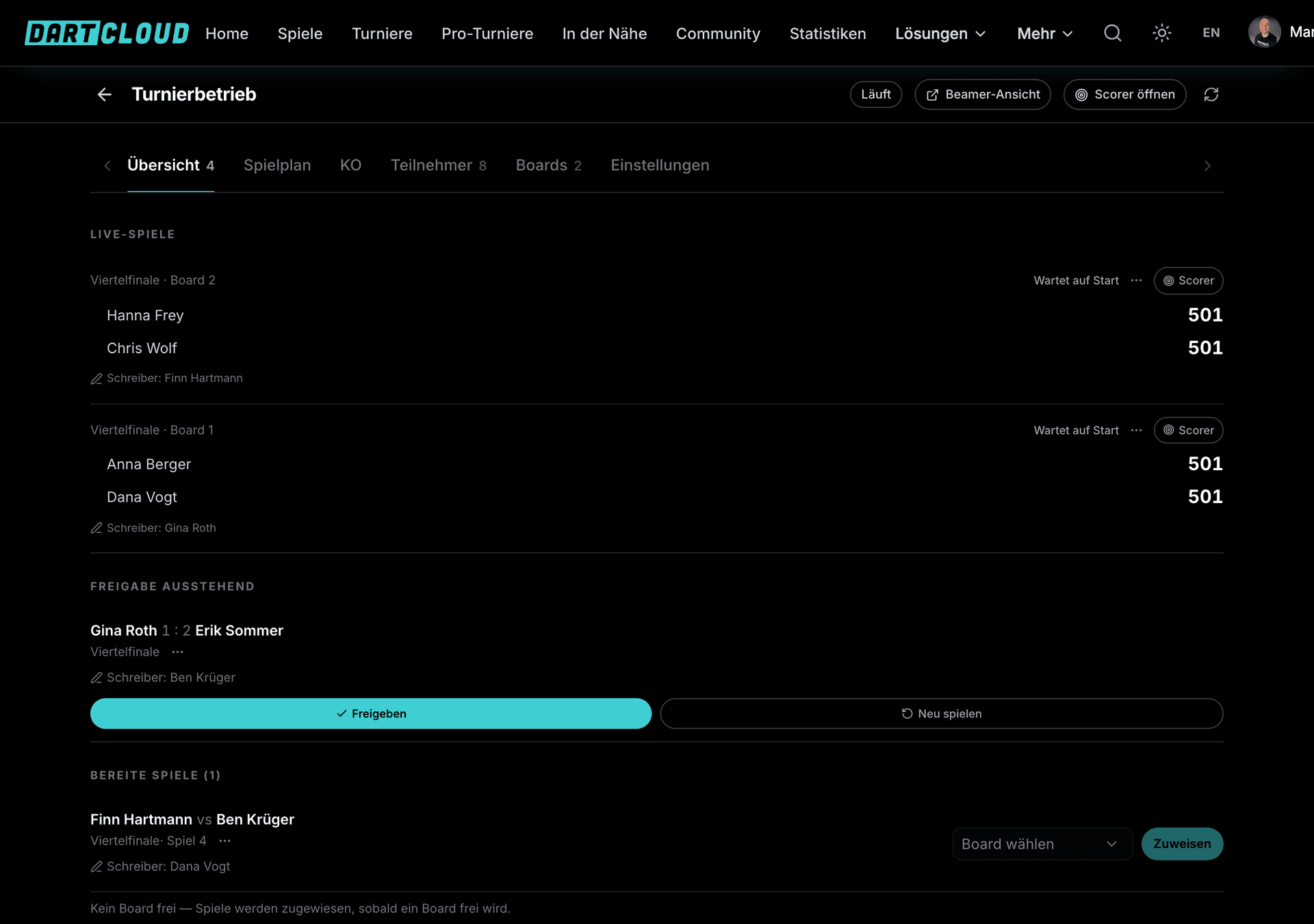
The tournament management is the control centre on match day and runs in the browser or in the app. It always shows the status, the boards and the matches in progress. Every action that changes the running order is confirmed before it is carried out.
From start of play to the final
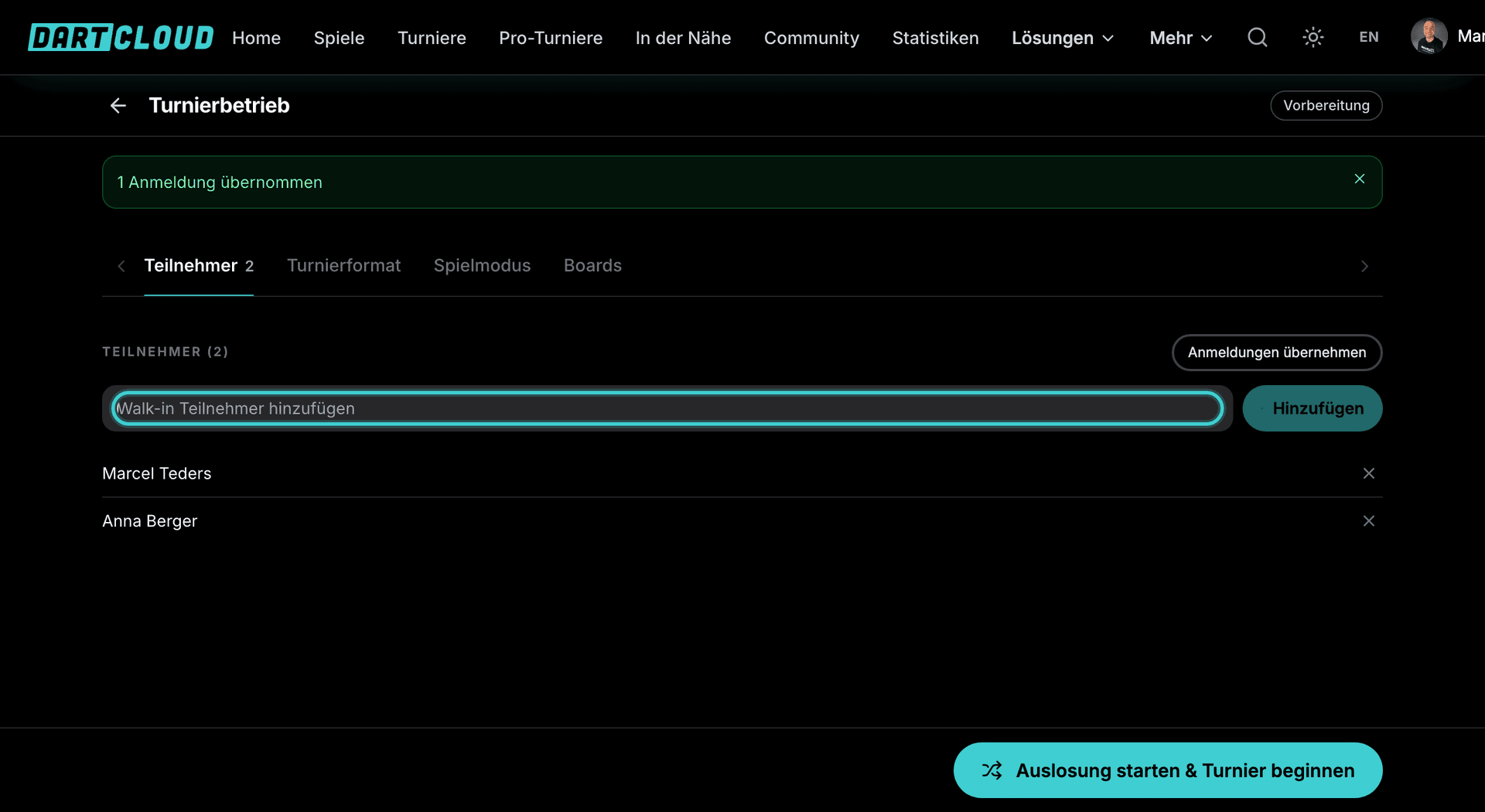
Import participants
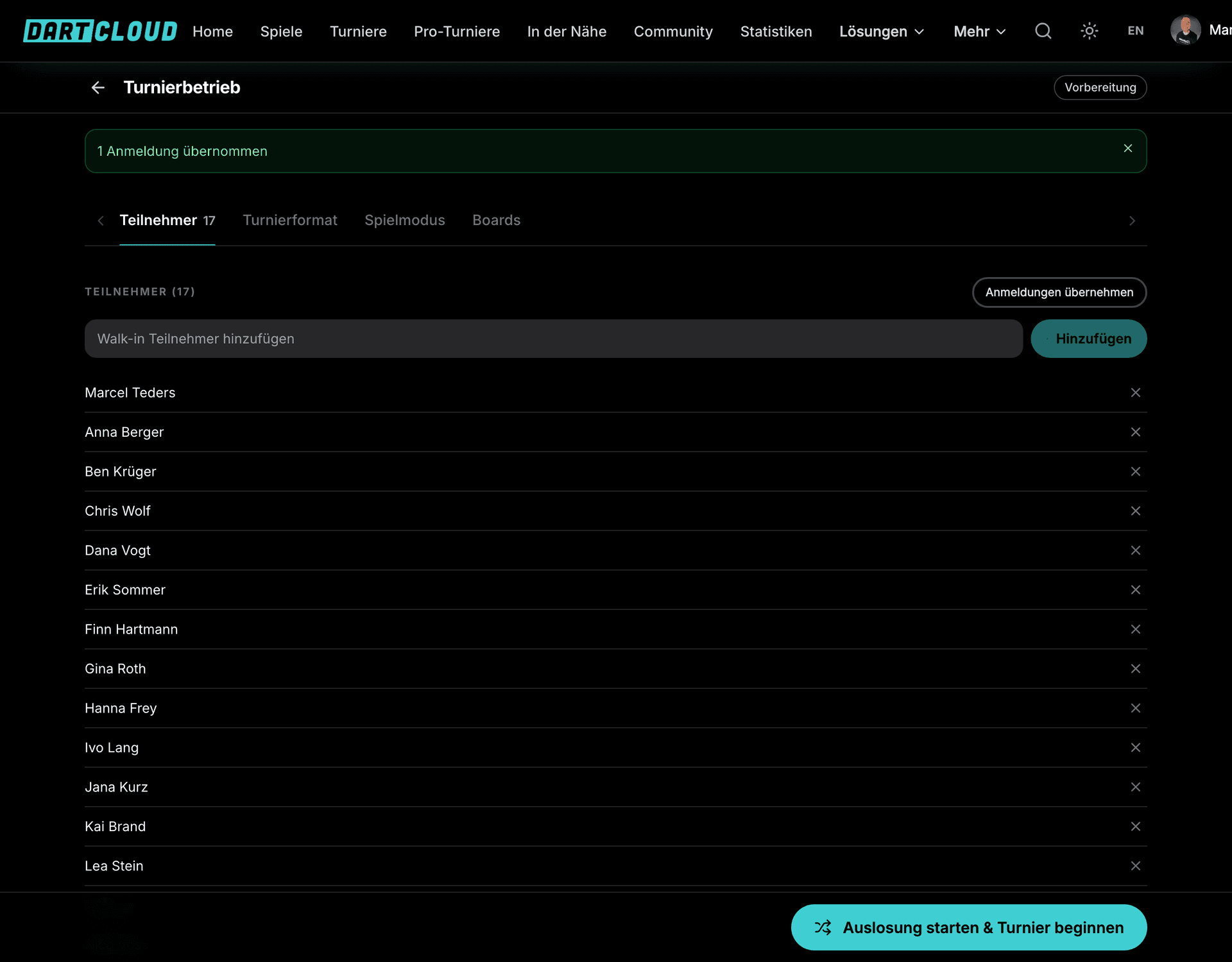
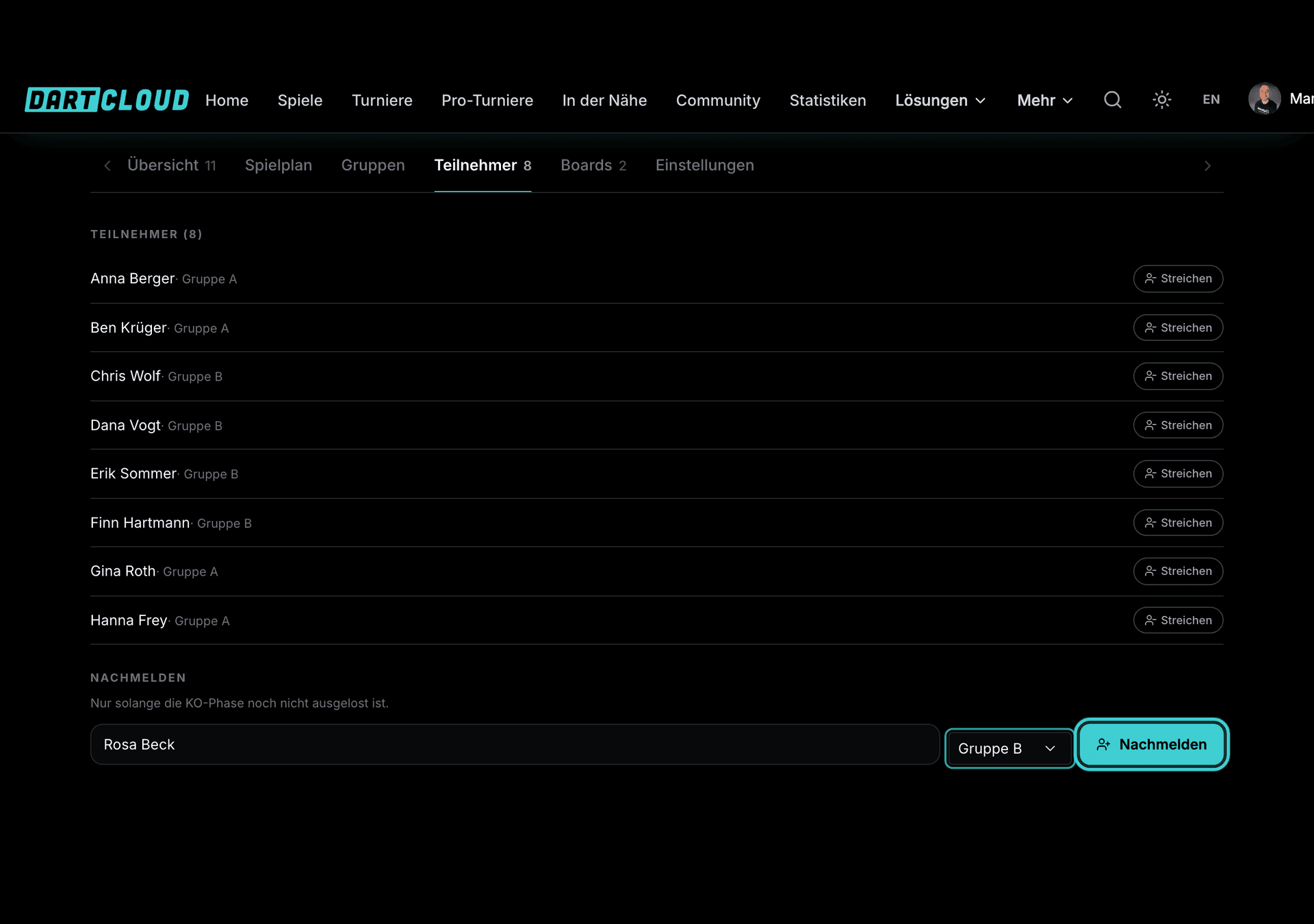
All confirmed online registrations into the participant list with one click. Players who turn up on site are added as walk-ins, even without an account. Anyone who doesn't show up is removed.
Set up boards
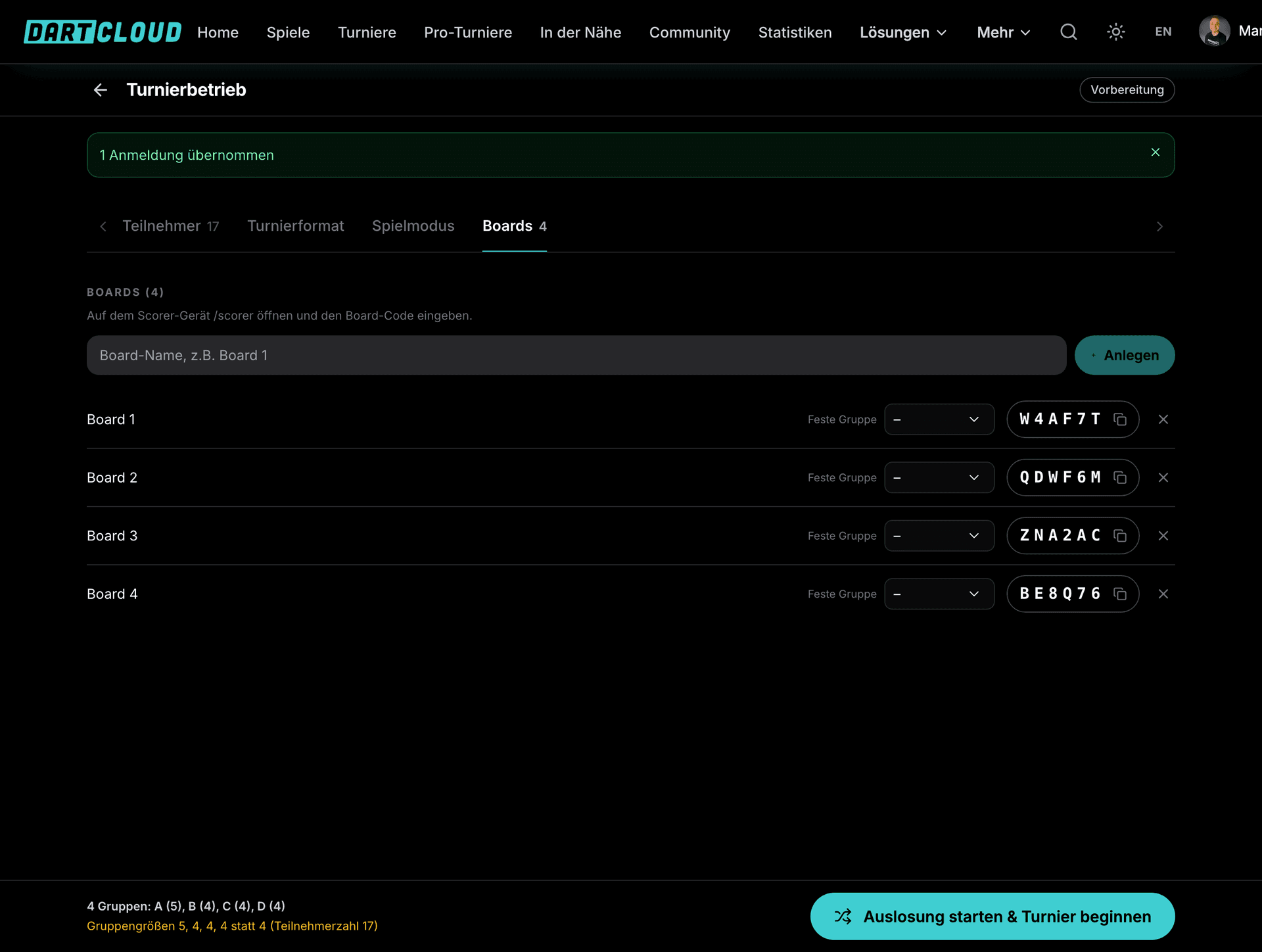
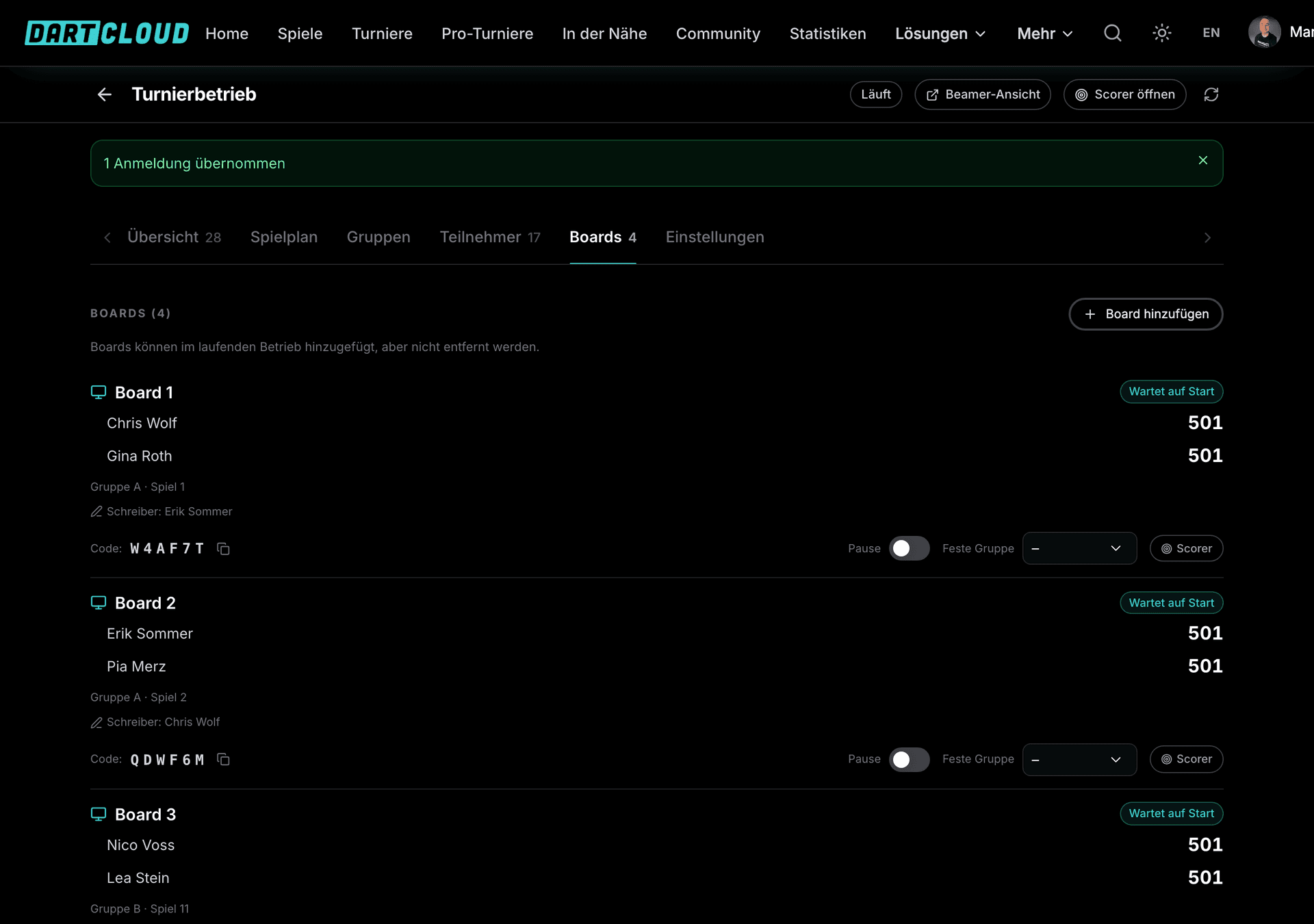
As many boards as you have in the hall, each with a six-digit code for the Scorer device. Boards can be assigned to a fixed phase, for example boards 1 and 2 for the knockout, boards 3 and 4 for the Lucky Loser.
Make the draw
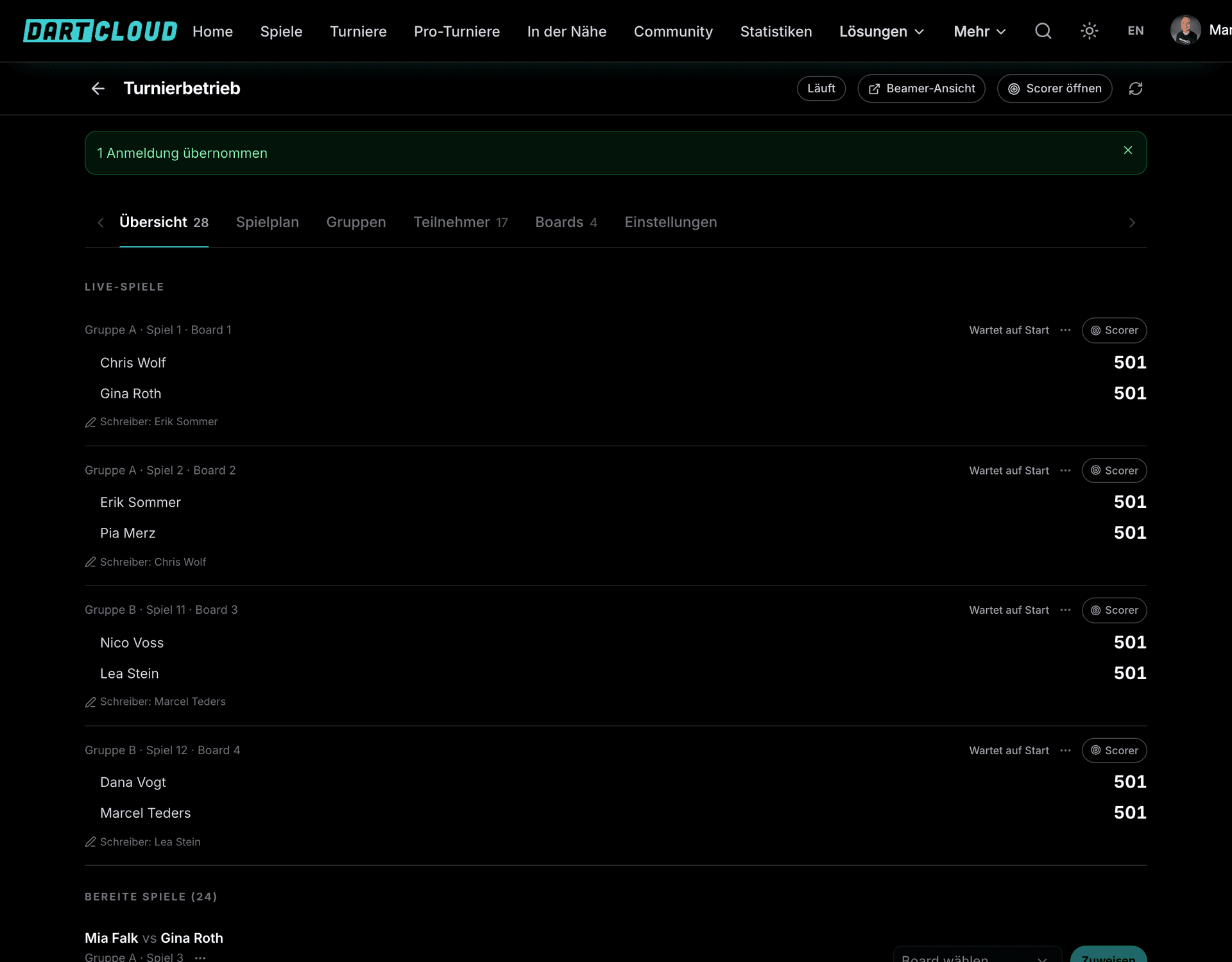
One click and the groups or the knockout bracket are set. The confirmation prompt shows you beforehand what will happen. After that the first matches run automatically on the free boards.

Follow along and finish
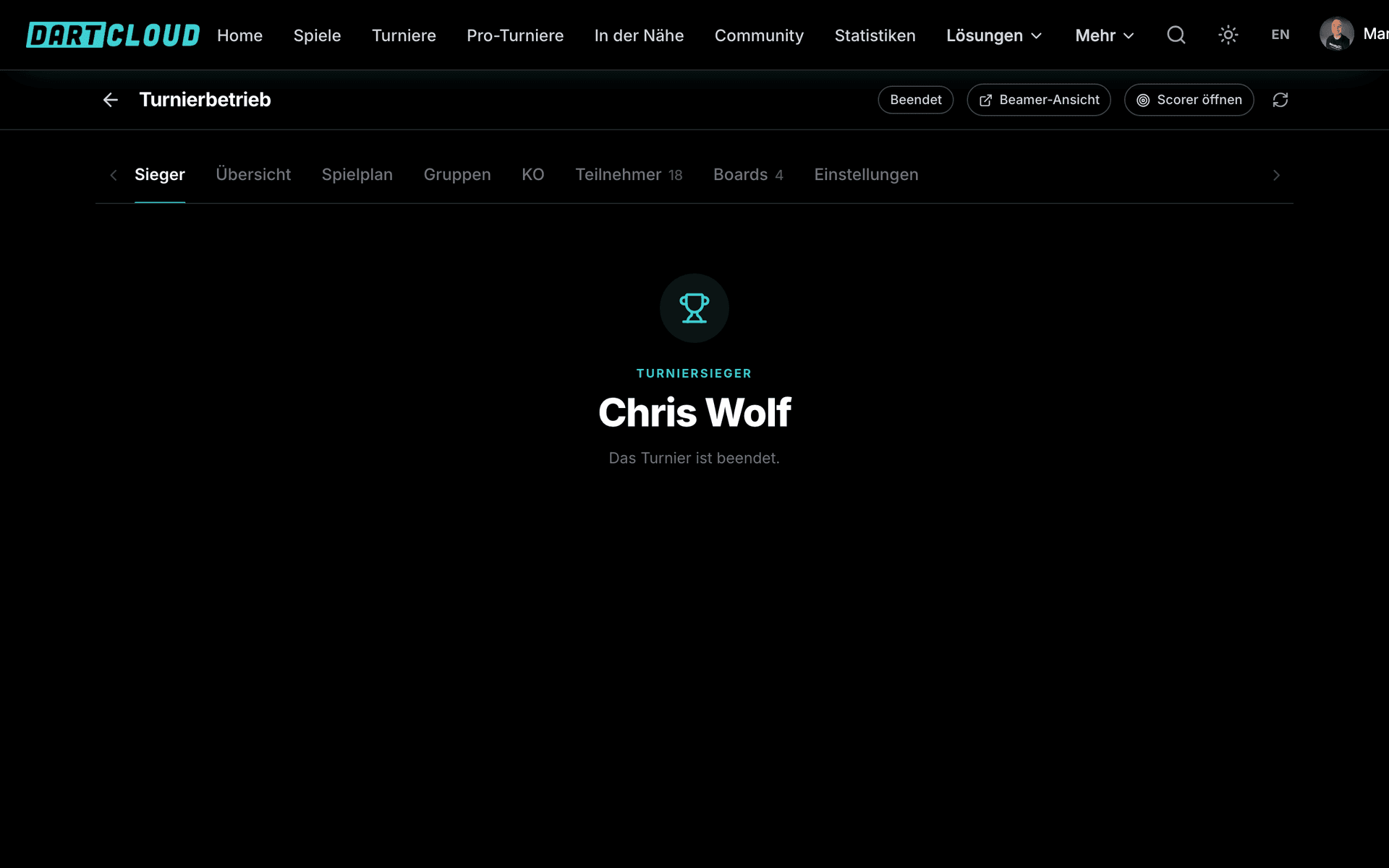
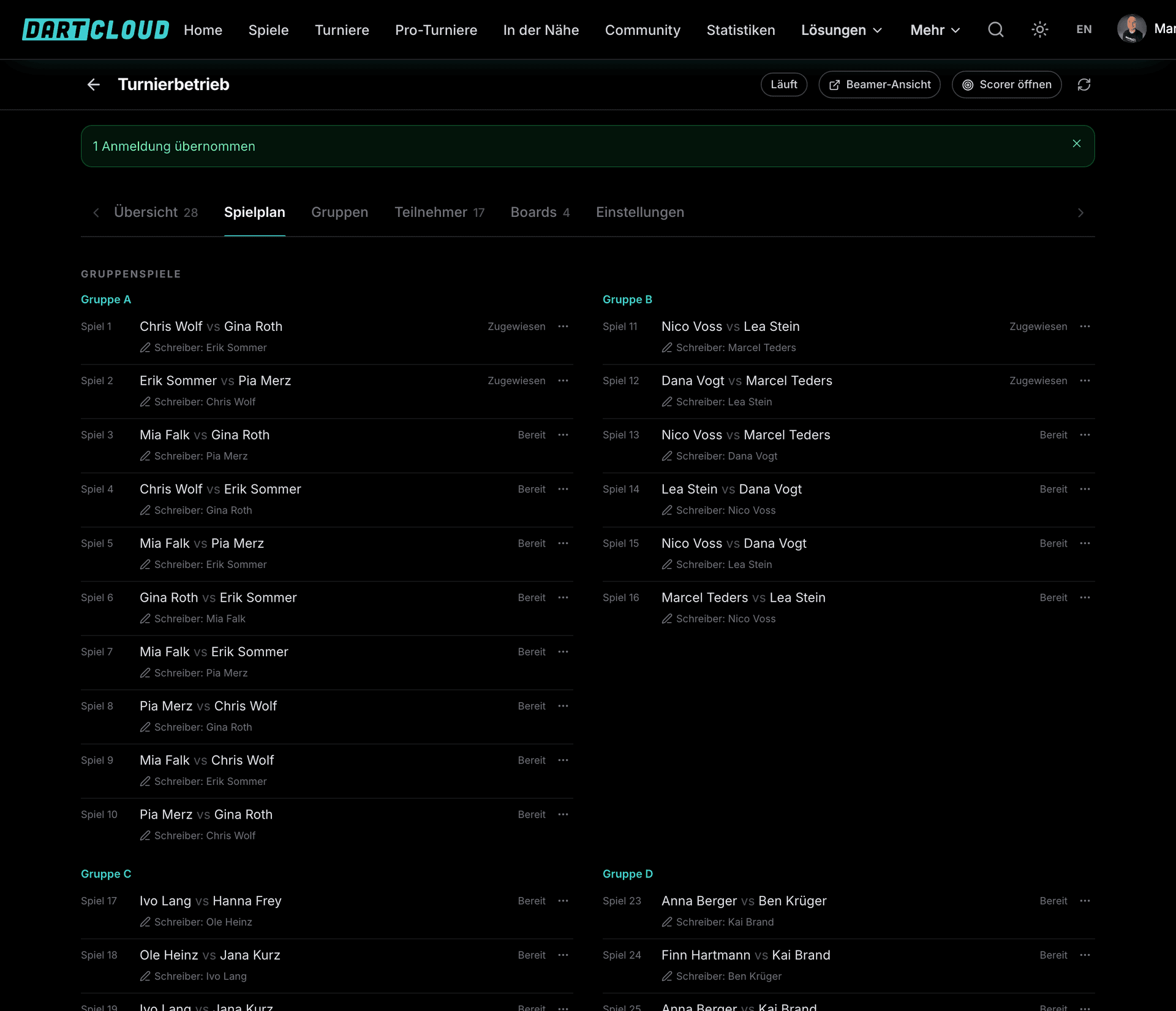
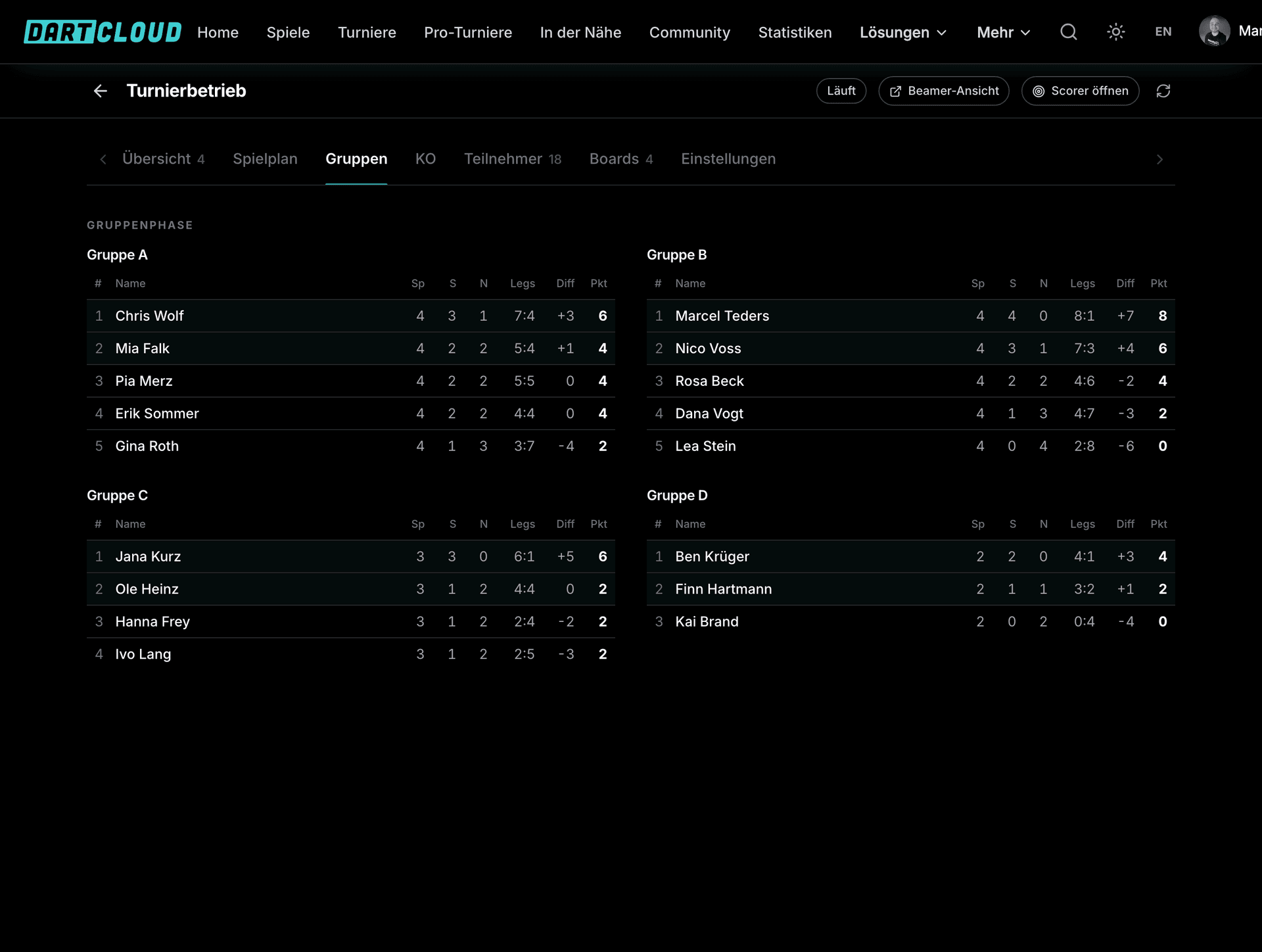
The overview, schedule, groups and knockout bracket update live. At the end the winner is decided, the tournament page shows the final standings and the statistics land in the profiles.
Step in when it's needed
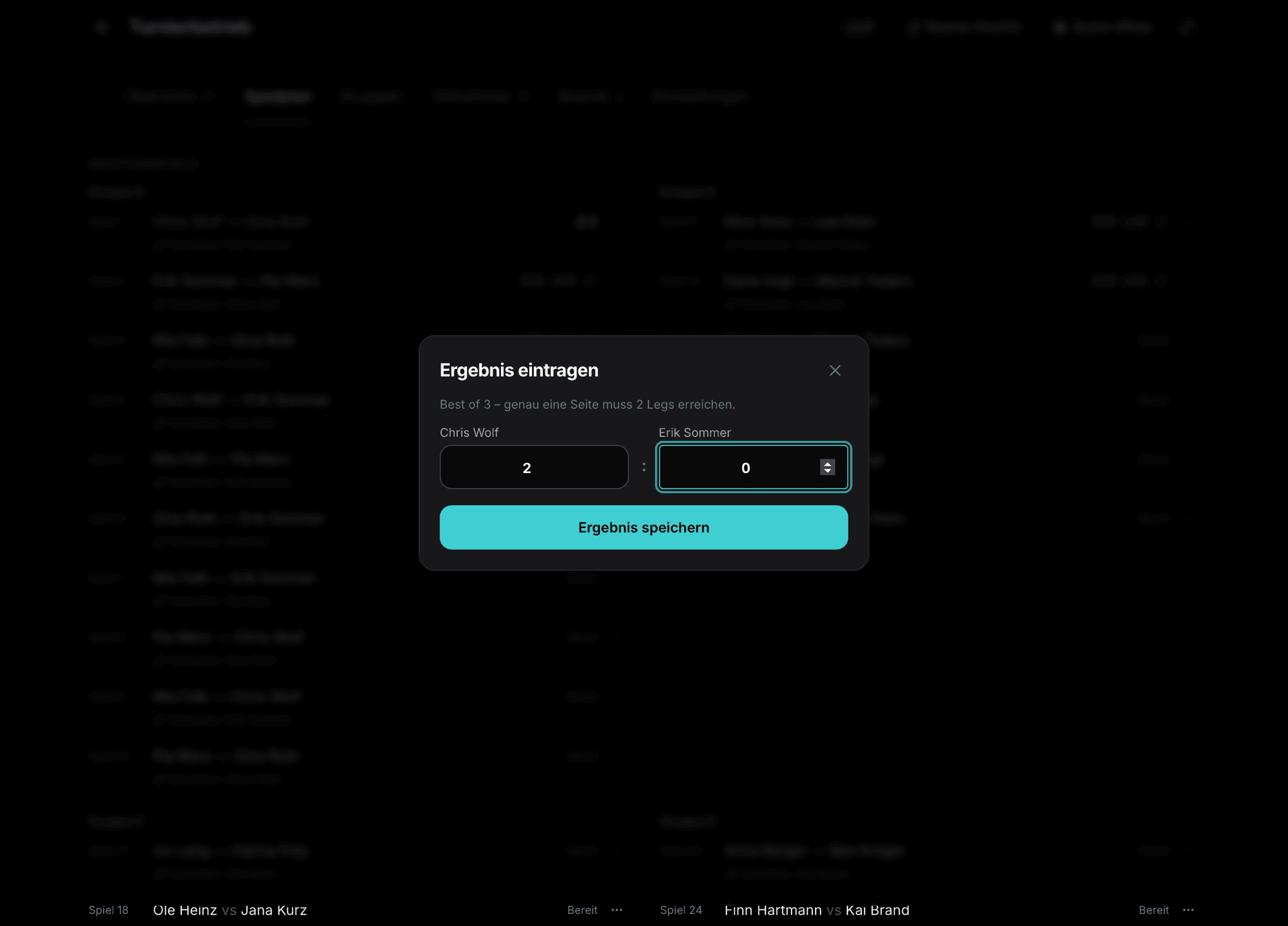
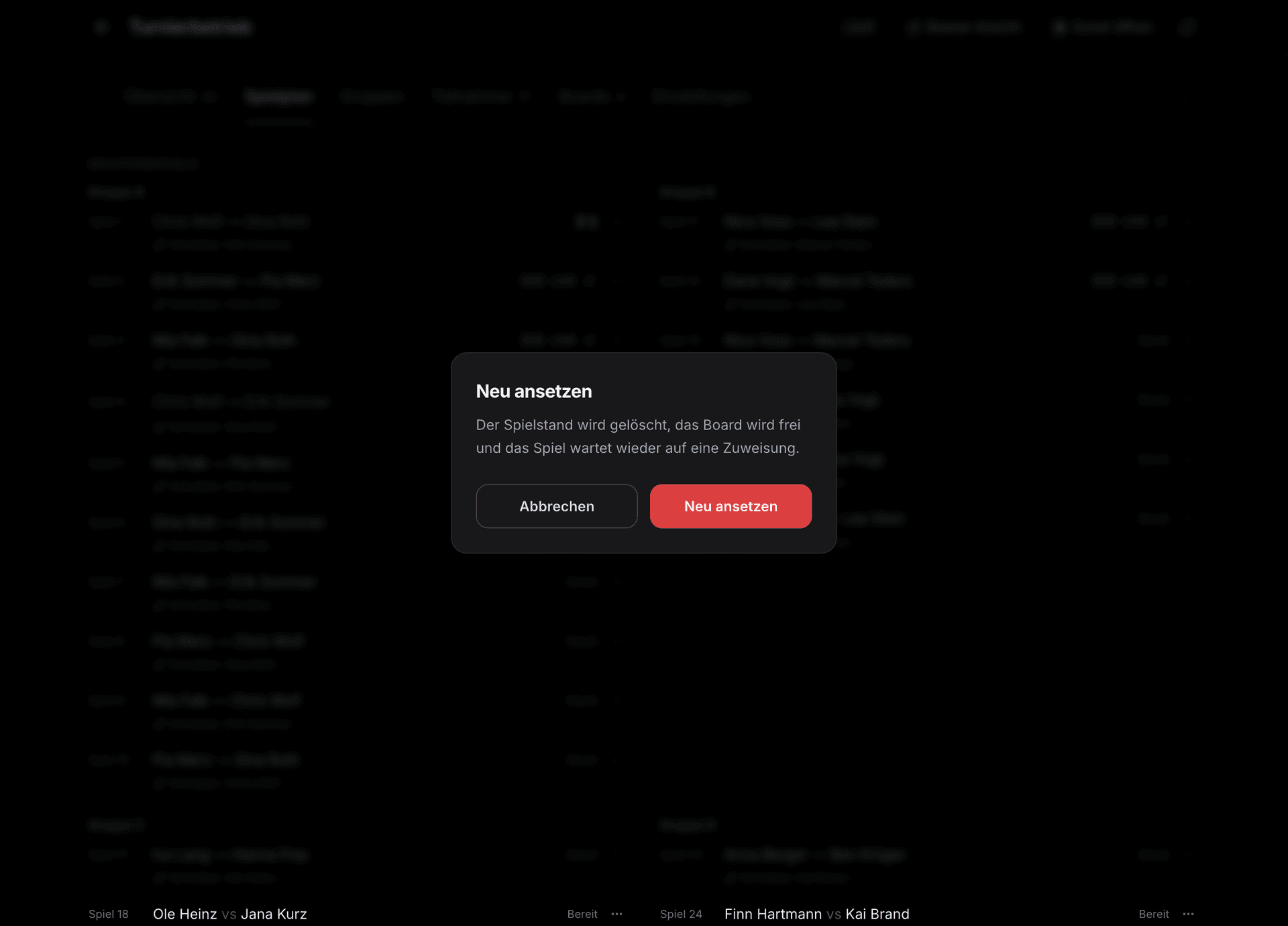
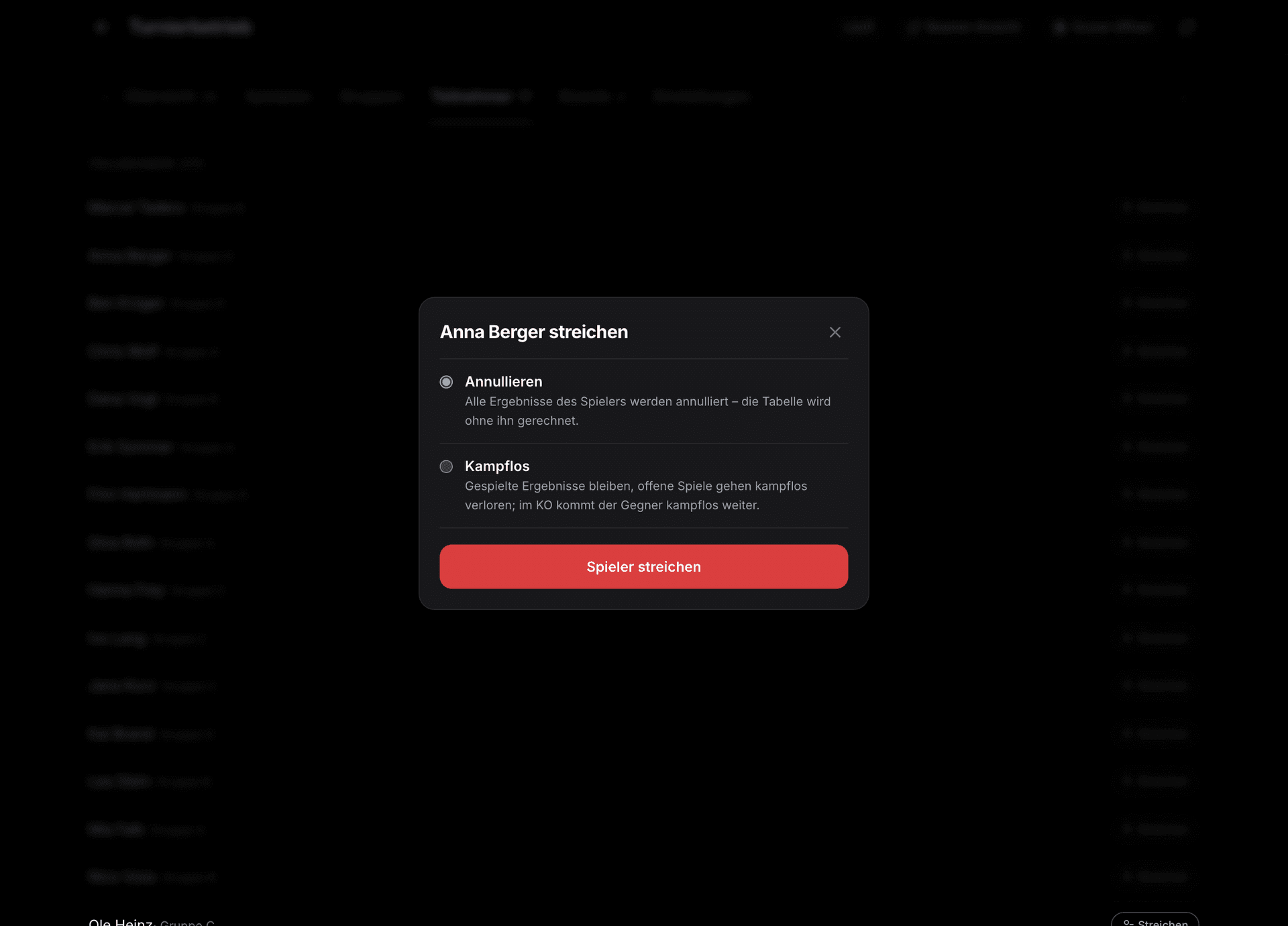
A player has to leave early, a board drops out, a result was entered incorrectly: for every case there's a matching action, right on the match.
- Enter or correct a result without having to score at the board.
- Reschedule a match, move it to another board or bring it forward when a board is free.
- Remove a player: open matches are scored and the bracket keeps running.
- Add a player later, as long as the phase allows it.
- Result approval: only take over results from the board after checking them.
- Reset the draw or end the tournament, only after confirming in the danger zone.
Boards and scorers
Every board gets a phone or tablet as a scorer. The device connects using the board code, no account needed. As soon as a match is assigned, the scorer shows the pairing and asks who starts. After that you enter visit by visit or dart by dart: the scorer tracks the remaining score, the average and checkout suggestions, detects a bust and lets you undo every entry.
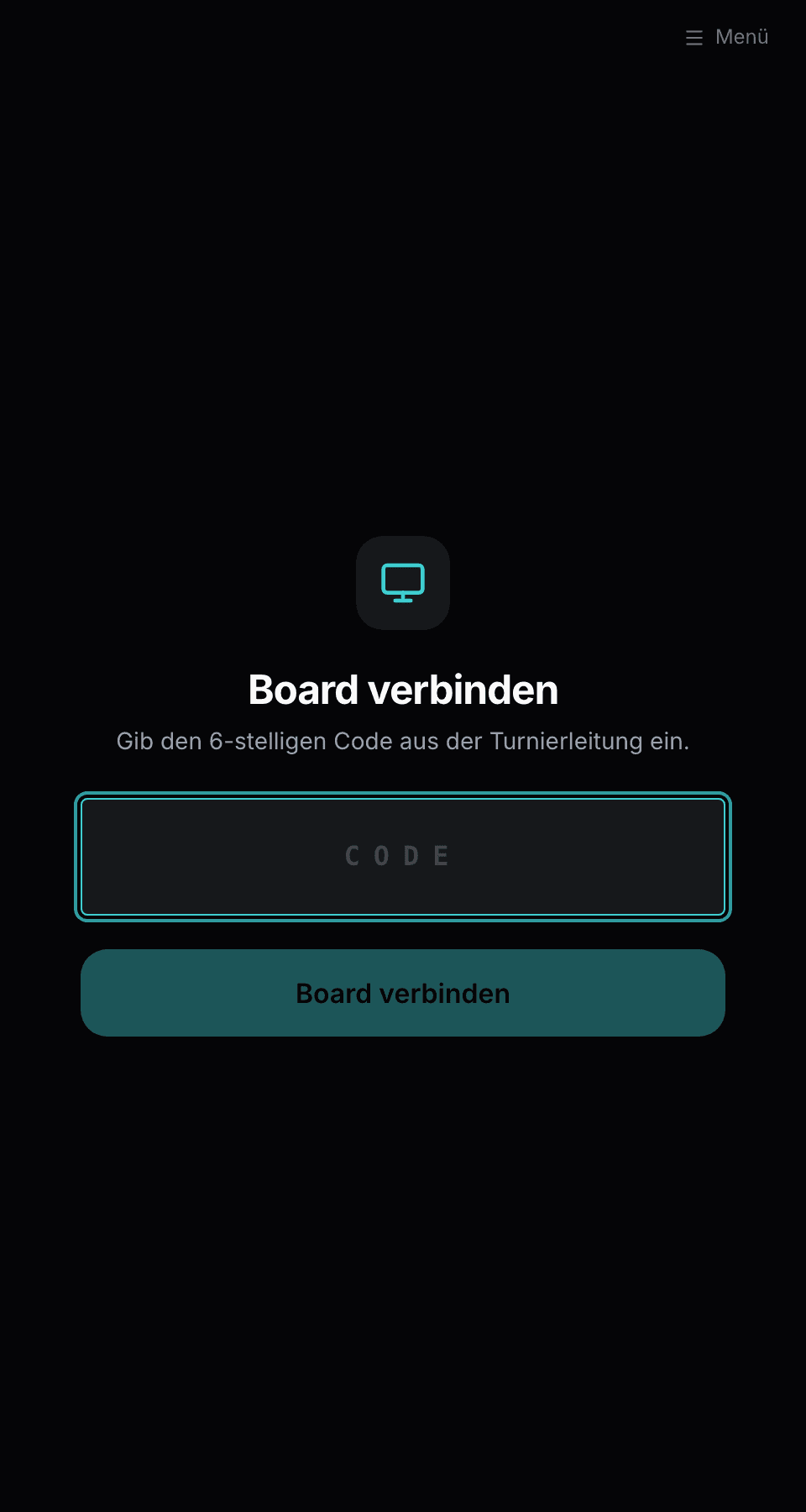
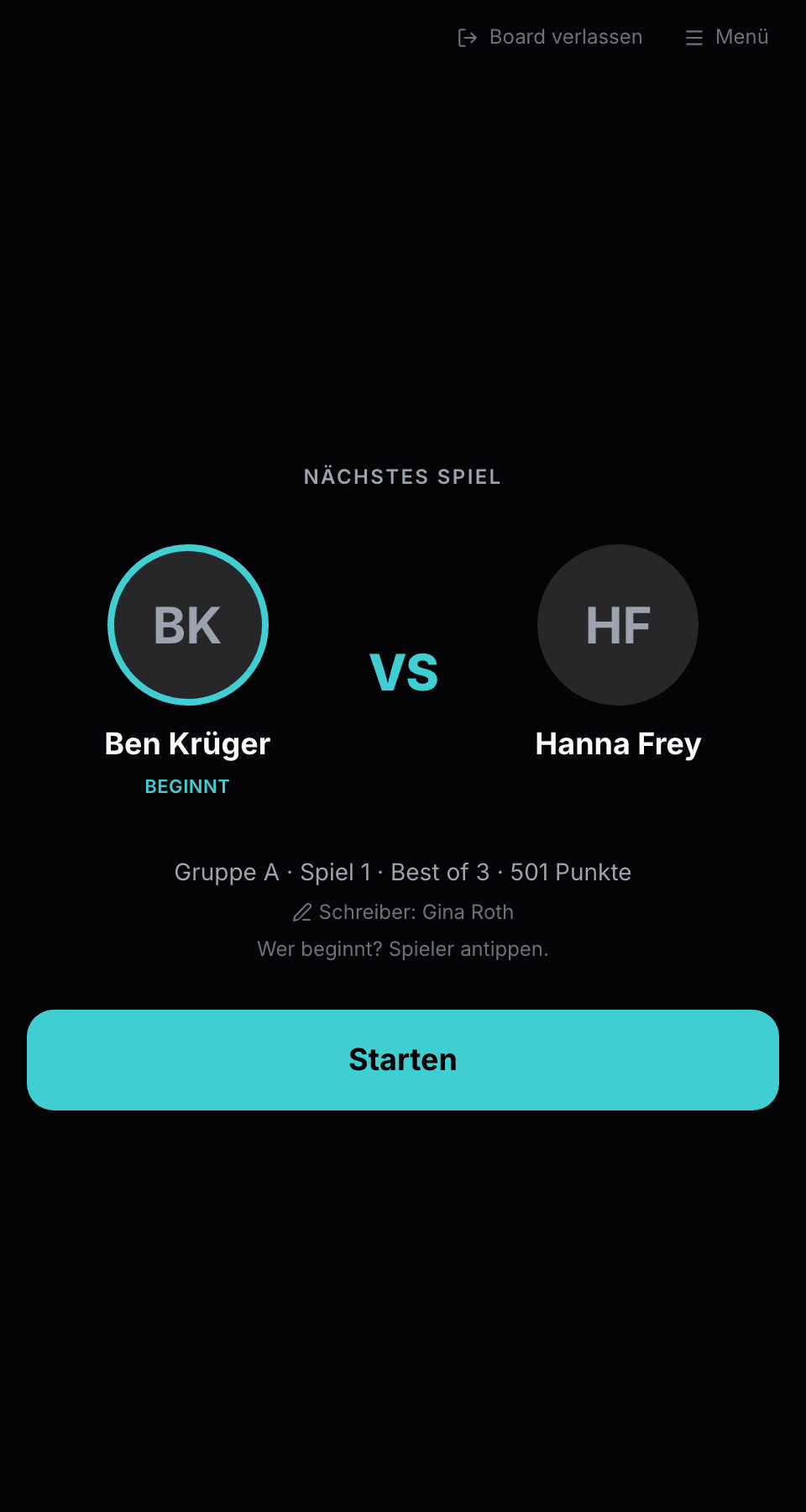
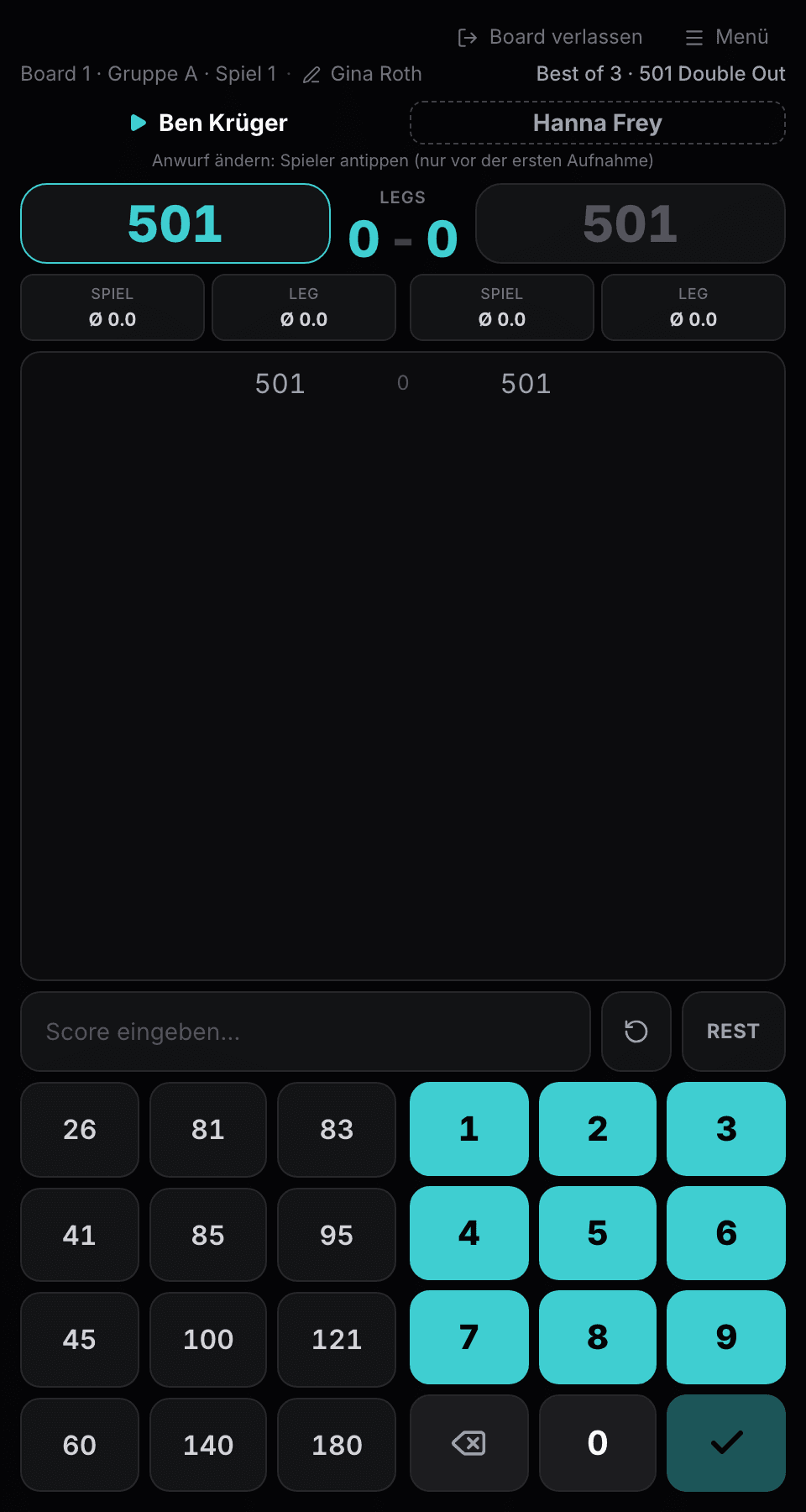
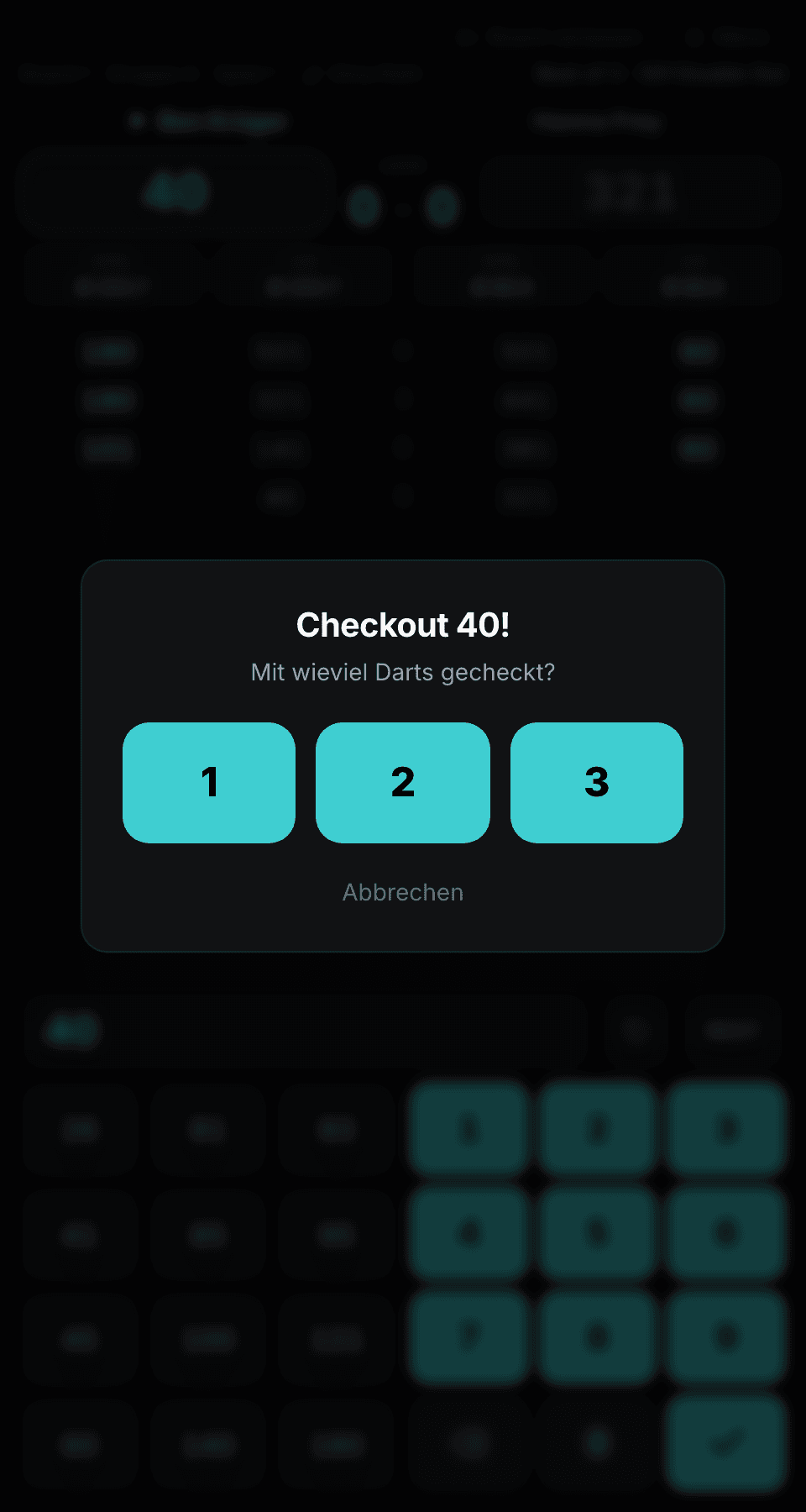
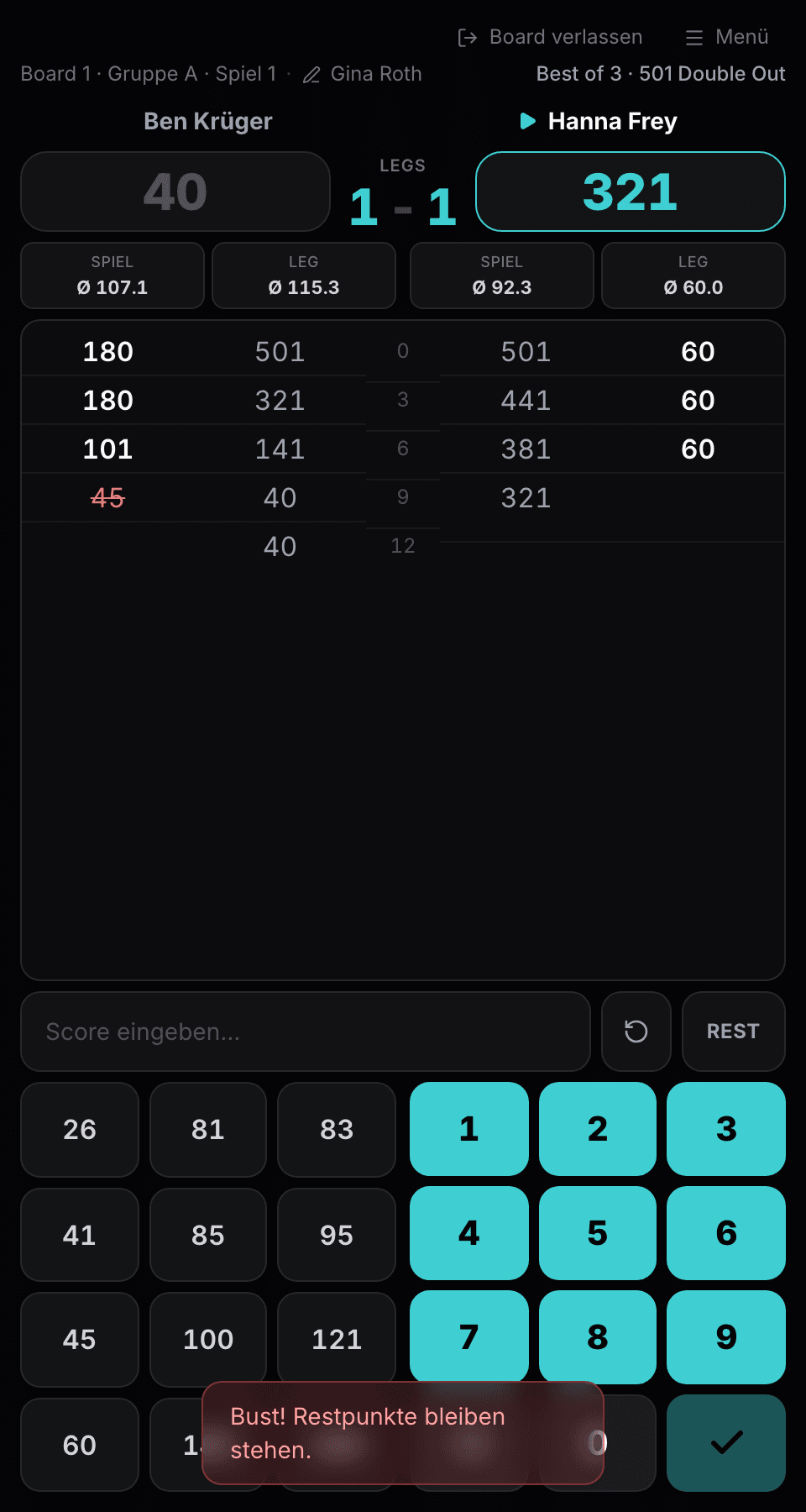
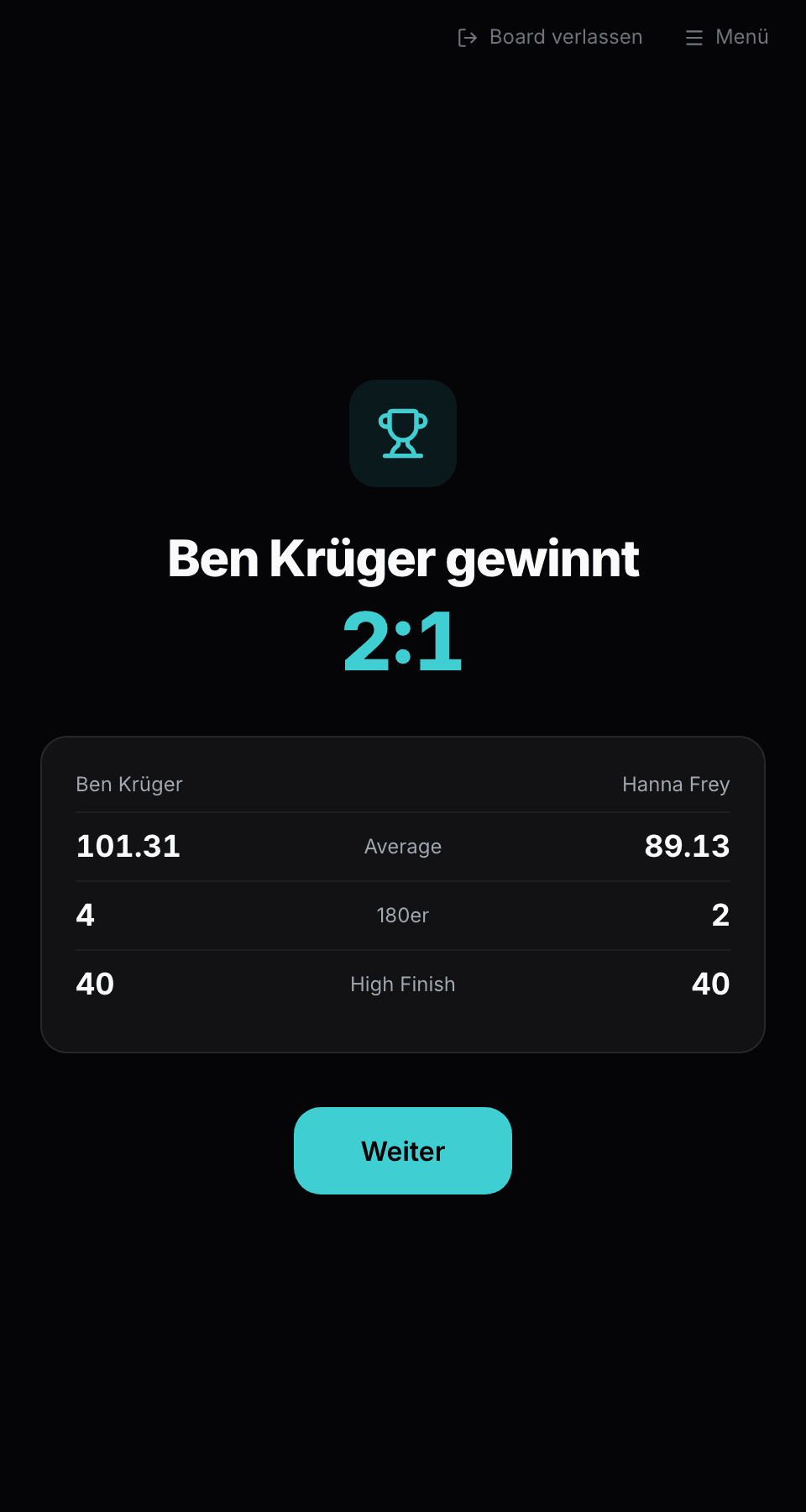
In the app the Scorer also works without internet: entries are saved locally and synced as soon as the connection is back. On a tablet the display is big enough for both players to read it from the Oche. Markers are assigned automatically from the players in the same phase, so nobody has to mark a game while they are playing themselves.
Live for spectators: projector, live page, board monitor
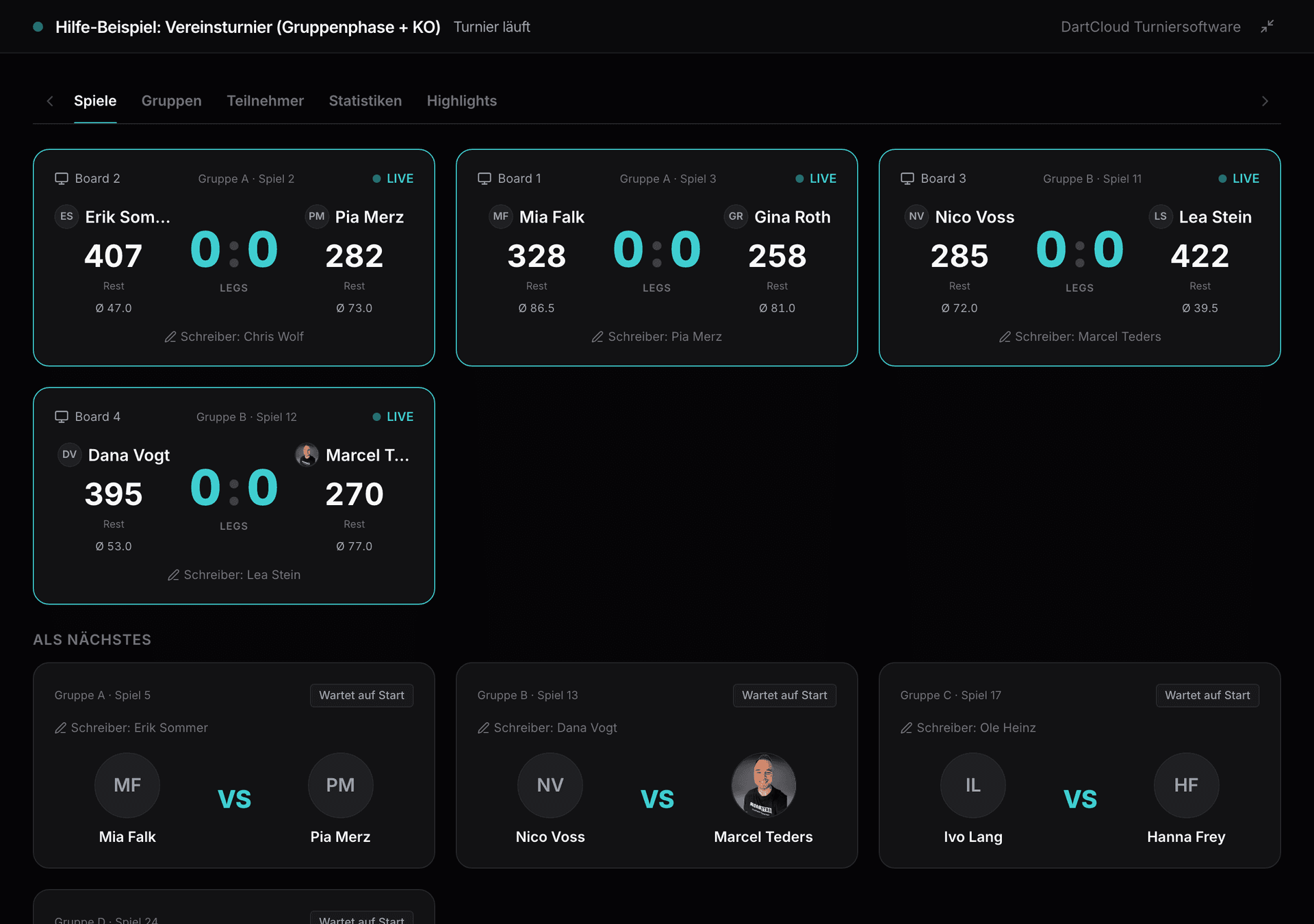
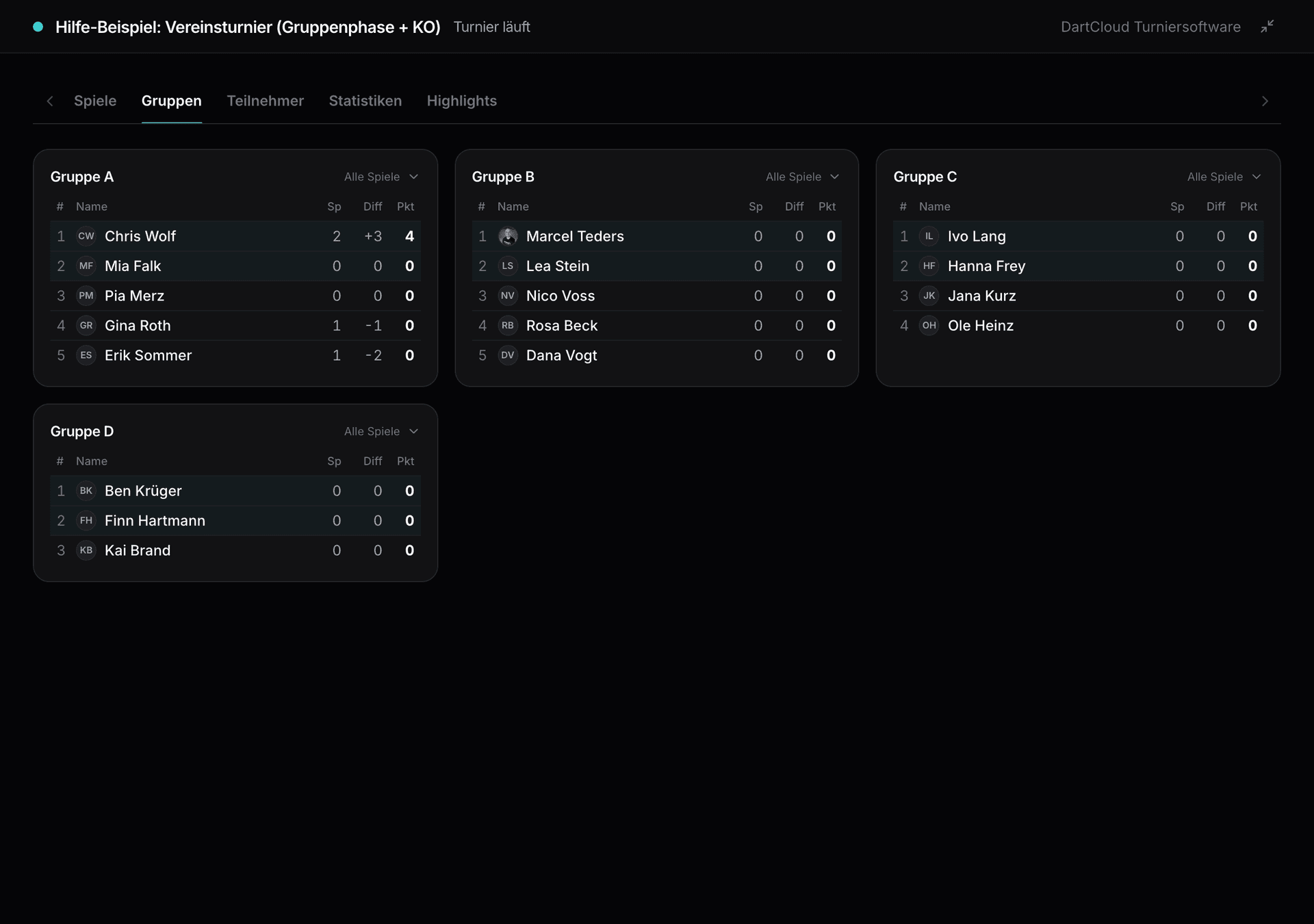
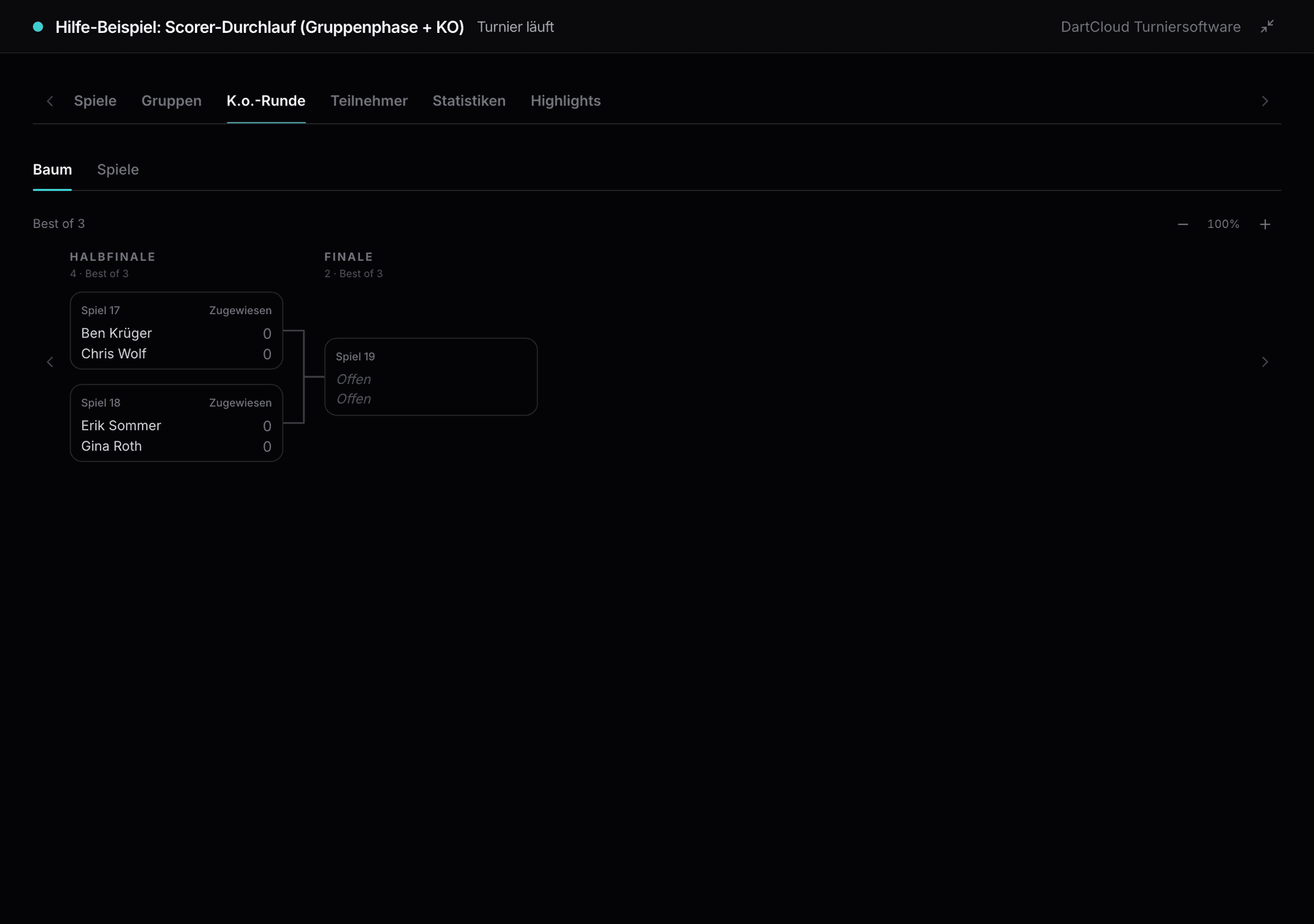
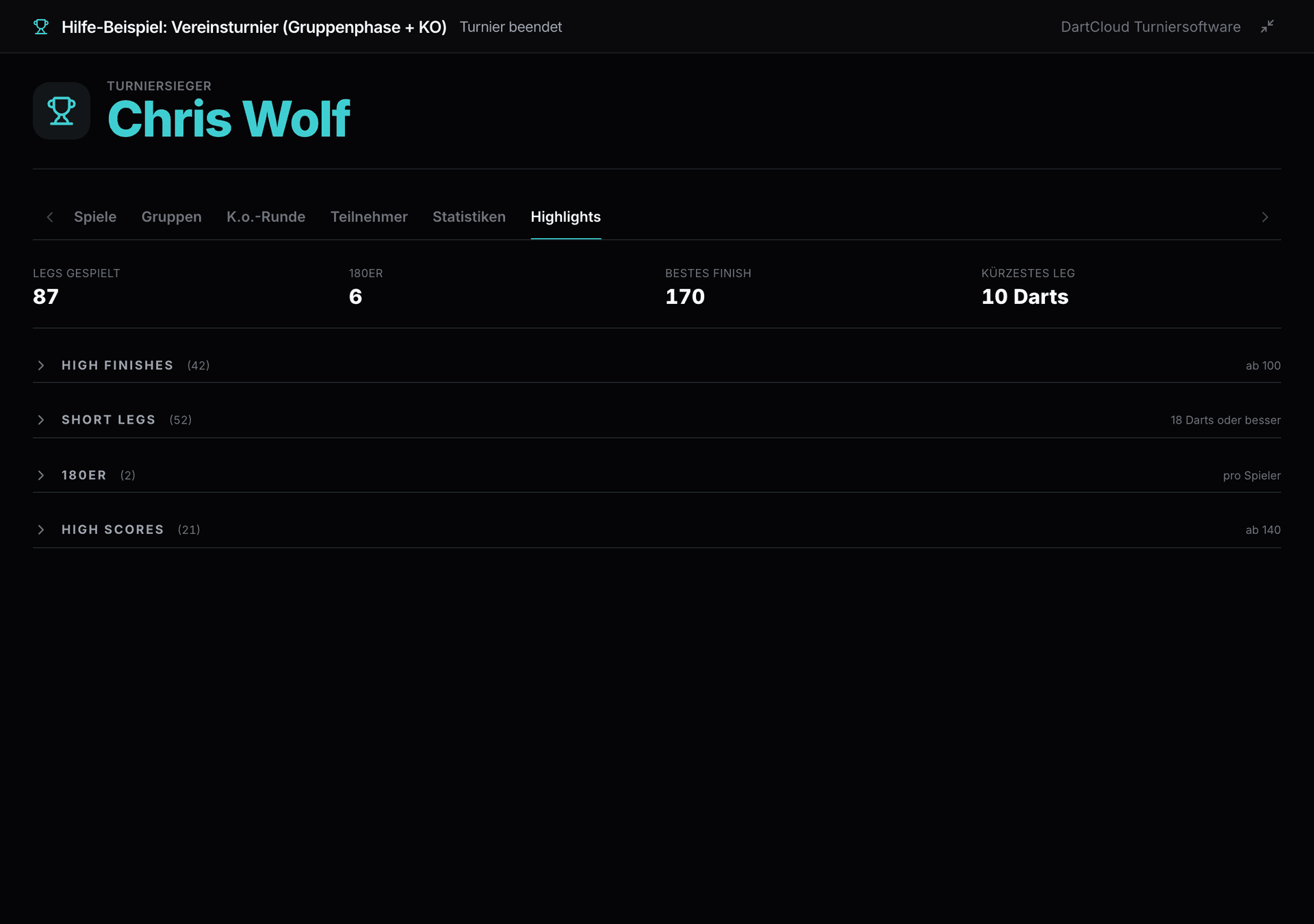
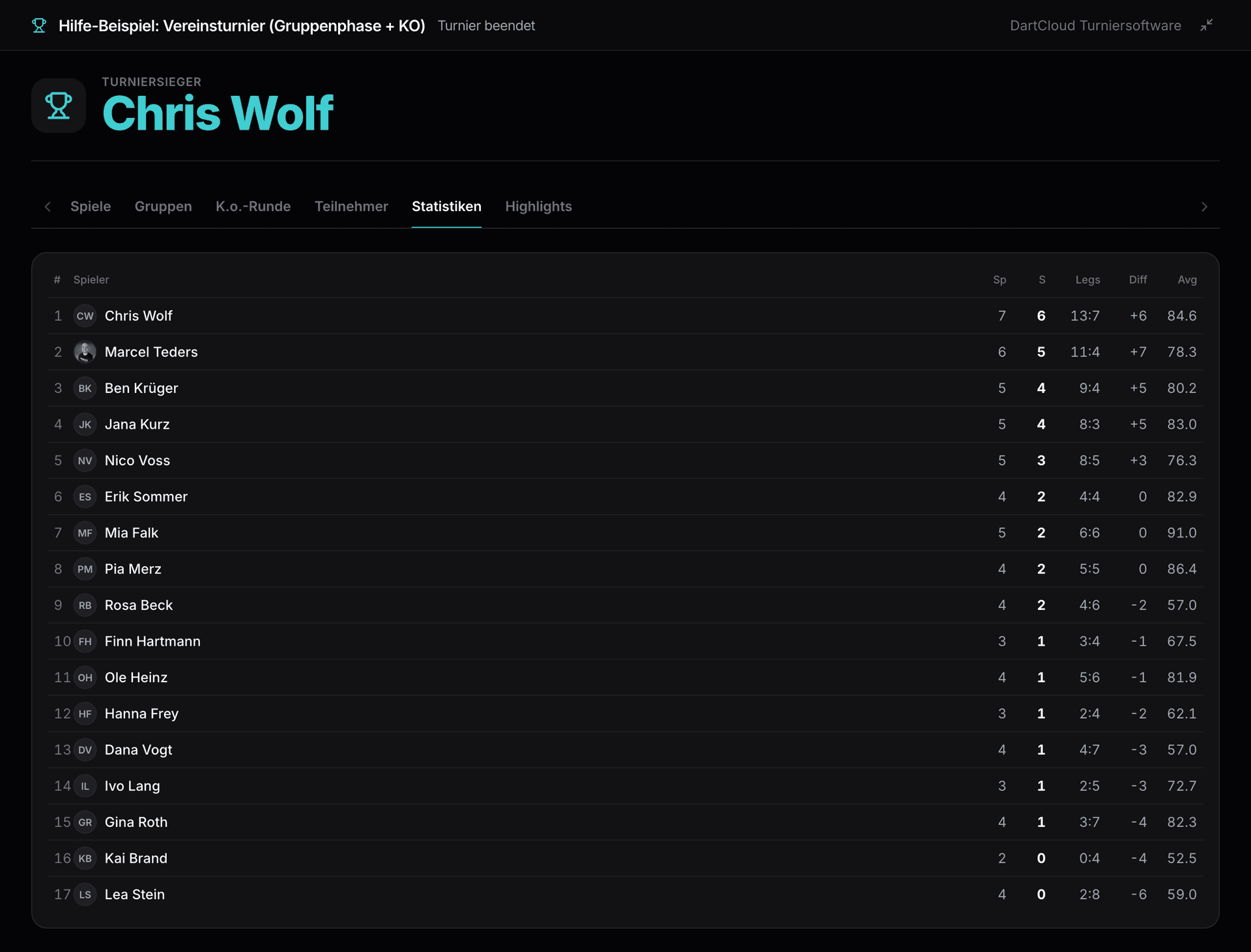
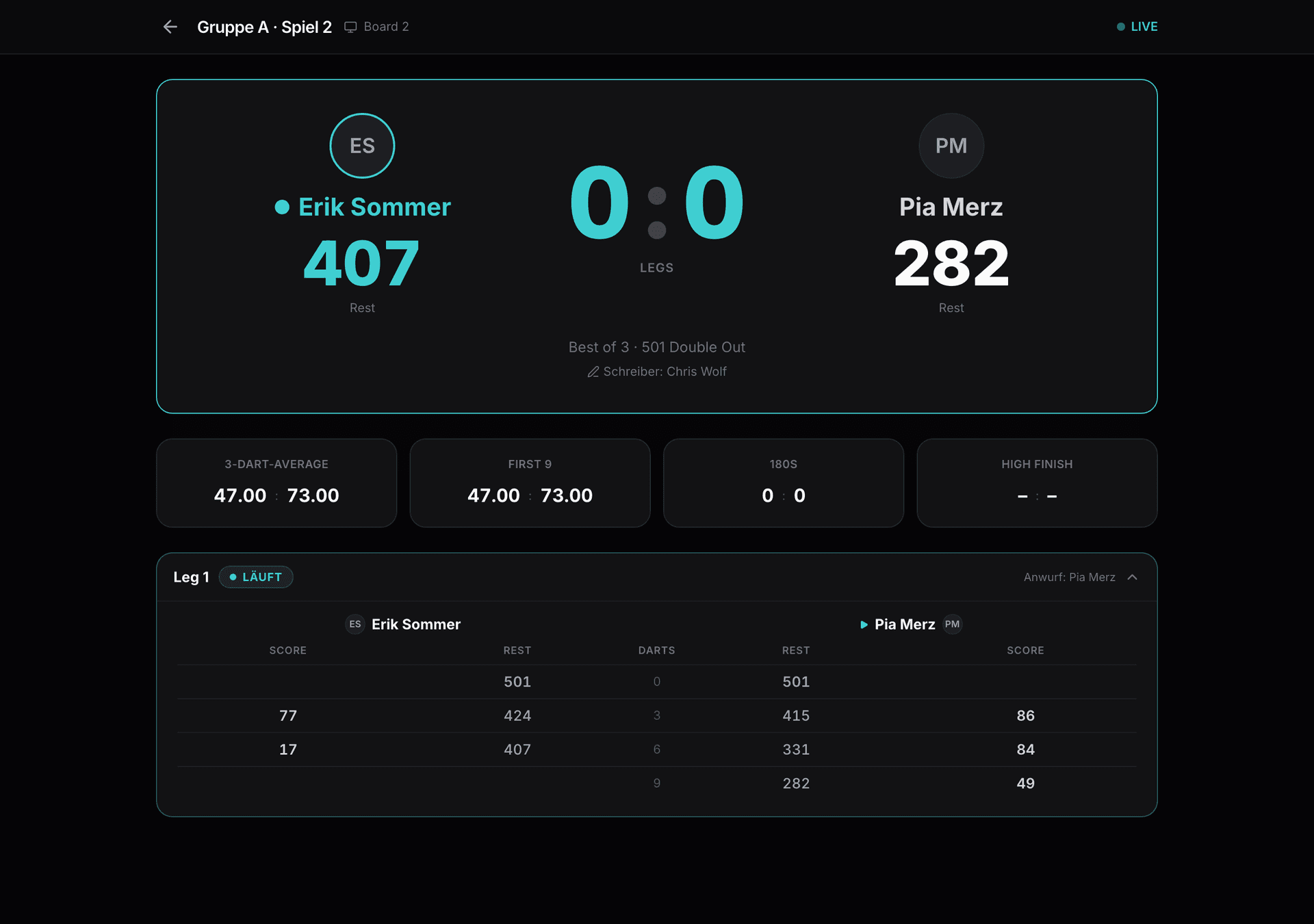
The projector view shows in the hall what is running right now and who is up next, plus groups, knockout bracket, highlights with 180s and high finishes as well as the tournament statistics. The live page at /live does the same for phone and browser, for spectators at home just as much as for players who want to know when they are up. Every game has its own live view with remaining score, visits and Average, visit by visit.
Reliable in action
A tournament day doesn't forgive outages. That's why the tournament software is built so that everything keeps running, even if something goes wrong.
- Scorers in the app keep working offline and sync results later.
- Every entry at the board can be undone, every result corrected by the tournament management.
- Critical actions such as resetting the draw or ending a tournament require confirmation and are governed separately for organisers and their admins.
- Every change to the software is checked with automated tests and complete tournament simulations before it goes live.
- Web and app use the same tournament logic, so bracket, tables and statistics are identical everywhere.
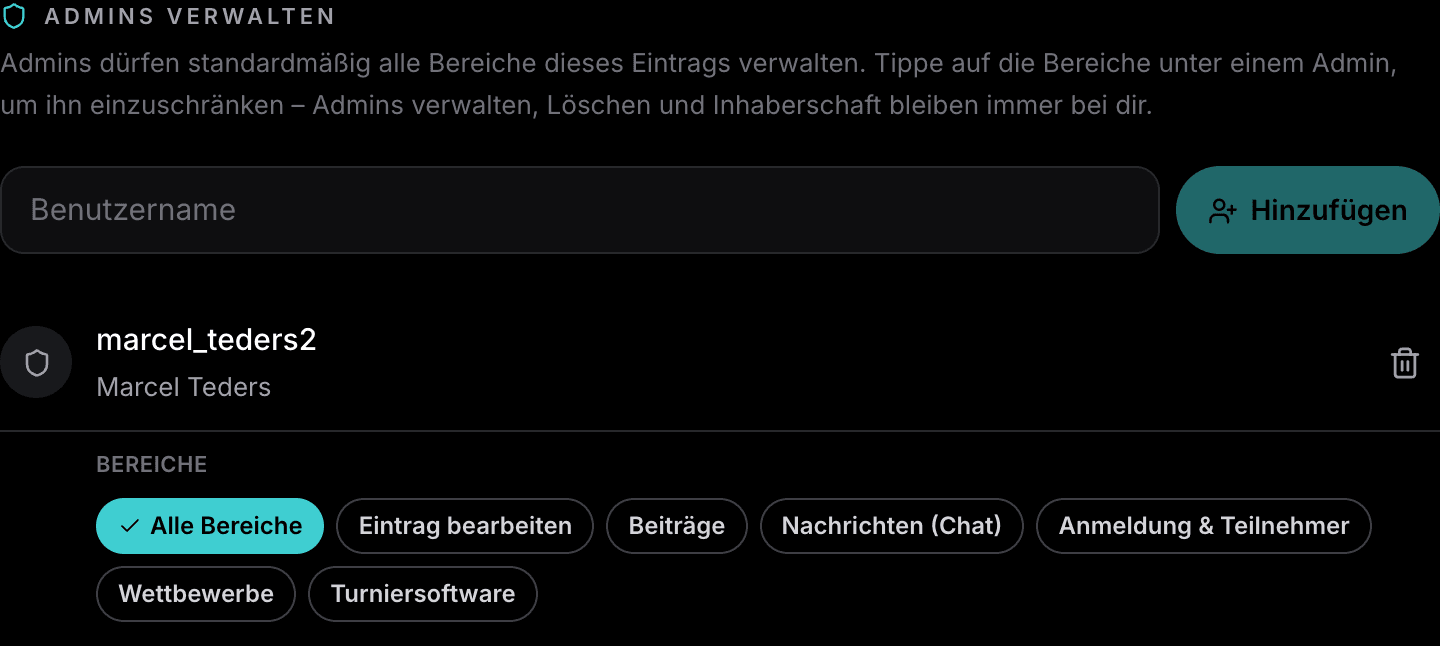
- Permissions per area: clubs and organisers decide which admin may manage registration, tournament software or content.
Weekly updates, organisers' requests go straight in
DartCloud is developed continuously, with updates released weekly on the web and in the app. Feedback from live tournaments is collected and implemented quickly, often within a few days. Many features of the tournament software came about exactly that way:
- Lucky loser side tournament with its own boards and its own mode per round.
- Double elimination and triple elimination with a losers bracket and a grand final.
- Player call-up by push notification as soon as a match is due.
- Board monitor as a spectator display for each board and a second screen on the tablet.
- Bringing matches forward at the board, multiple group stages, match mode per round.
- Templates, multi-select in registration management, online tournaments.
- 799 Tournaments
- 5.508 Player profiles
- 450 Clubs
- 254 Venues
Help and guides
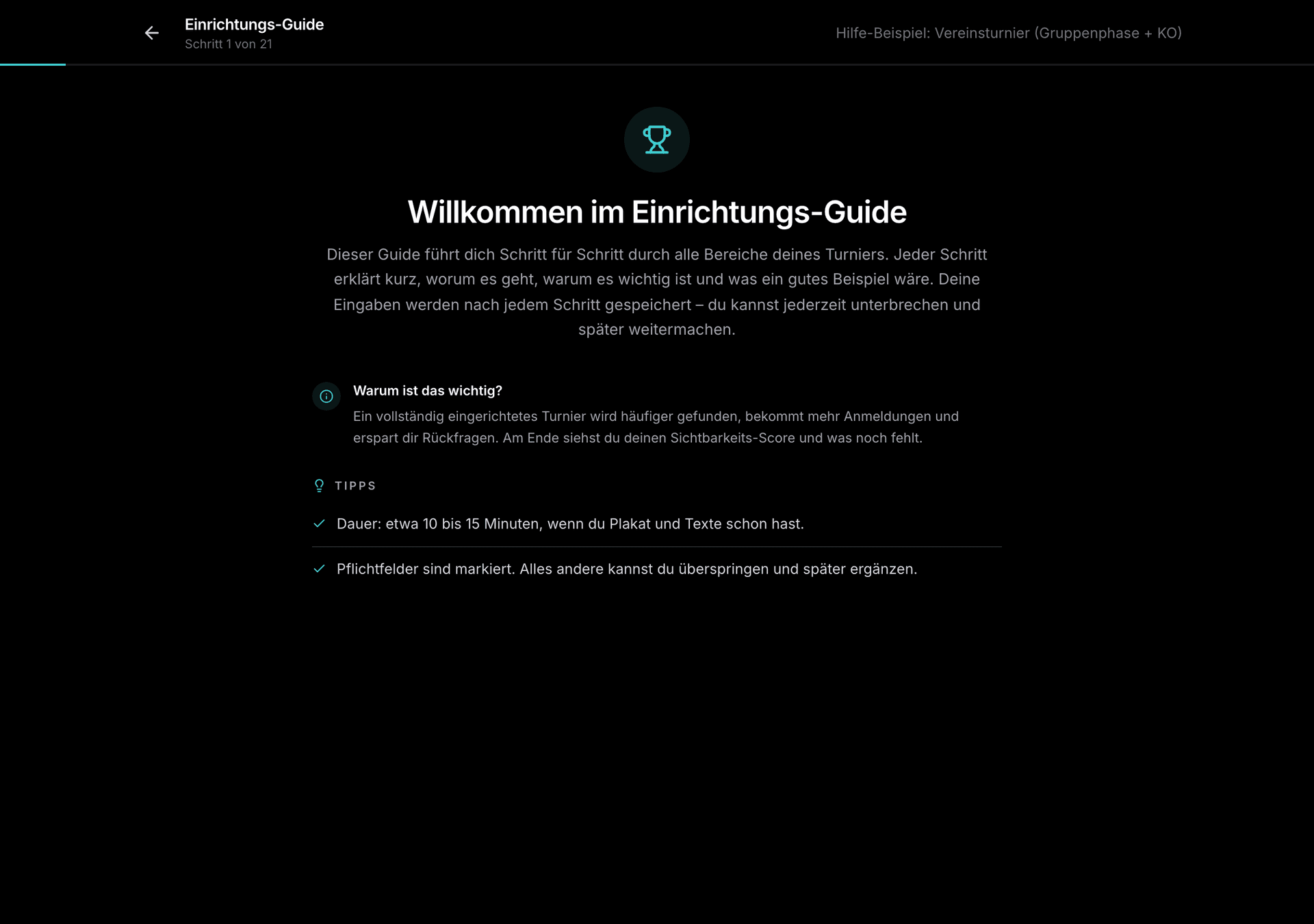
In the help centre, over forty articles with screenshots explain every step, from your first tournament in ten minutes through all formats to examples with 6, 8 and 17 players. The guides walk you interactively through the setup.
View guides
Help centre and step-by-step guides, free and without signing up.
Frequently asked questions
What does the tournament software cost?
Nothing. It is part of DartCloud and free of charge, with no limit on tournaments, participants or boards.
Do the boards need their own accounts?
No. Each board connects with a six-digit code shown by the tournament management. One phone or tablet per board is enough, even without signing in.
Does the Scorer work without internet?
In the app, yes. Entries are stored locally and synced as soon as there is a connection again. The tournament management then sees the full status.
Which tournament formats are available?
Straight knockout, group stage plus knockout (also several group stages), FA Cup mode with a draw round by round, double elimination and triple elimination with a losers' round, Champions League mode with one big table and playoffs, plus lucky loser side tournaments.
Can I still change the format after the draw?
The format can be changed freely up to the draw, after that it is fixed. The tournament management can however reschedule matches at any time, switch boards, remove players or add them later.
How do participants get into the draw?
With one click from the online registration. Anyone who turns up on site is entered as a walk-in. The number of participants determines the groups and the knockout bracket automatically.
How do players know their match is coming up?
Via the player call: players with a DartCloud account get a push notification with board and opponent. The projector view and live page also show the current and upcoming matches.
Can spectators follow along?
Yes. Every tournament has a live page with schedule, group tables, bracket, individual matches, highlights and statistics. On top of that there's a projector view for the venue and a board monitor per board for a second screen.
What happens to the results after the tournament?
The tournament page shows the winner and the final standings. Statistics like Average, 180s and high finishes go into the player profiles of all participants with a DartCloud account.
How quickly do requests get implemented?
Updates come out weekly. Feedback from real tournaments goes straight into development. Features like Lucky Loser, double elimination, the board monitor and the player call all came about this way.
Run your next tournament with DartCloud
Free, on the web and in the app. Registration, draw, Scorer and live display in one system.